
Generating API Documentation with Generative AI
Use generative AI to generate API documentation for REST, SOAP, AsyncAPI, GraphQL, gRPC APIs, MCP, and Agents in Exchange, streamlining how your organization manages APIs. AI simplifies your processes by creating consistent, accurate, and current content, which frees you to focus on strategic tasks and enhances developer satisfaction.
You can create documentation for API assets that don’t have any documentation. From the asset details page in Exchange, generate the documentation, then manually edit and improve the documentation. After that, publish it to make it available to everyone in your organization.
This release supports:
-
REST APIs (RAML, OAS 2.0/3.0)
-
SOAP APIs
-
AsyncAPI
-
GraphQL API
-
gRPC API
-
MCP
-
Agents
Generate documentation for these APIs whether they are created using a single specification file or multiple specification files. Fragments aren’t supported.
Documentation Structure
AI-generated documentation in Anypoint Exchange standardizes API documentation, addressing inconsistency and incompleteness. AI standardizes the structure and format of the generated documentation across each API including fonts, headers, and text size.
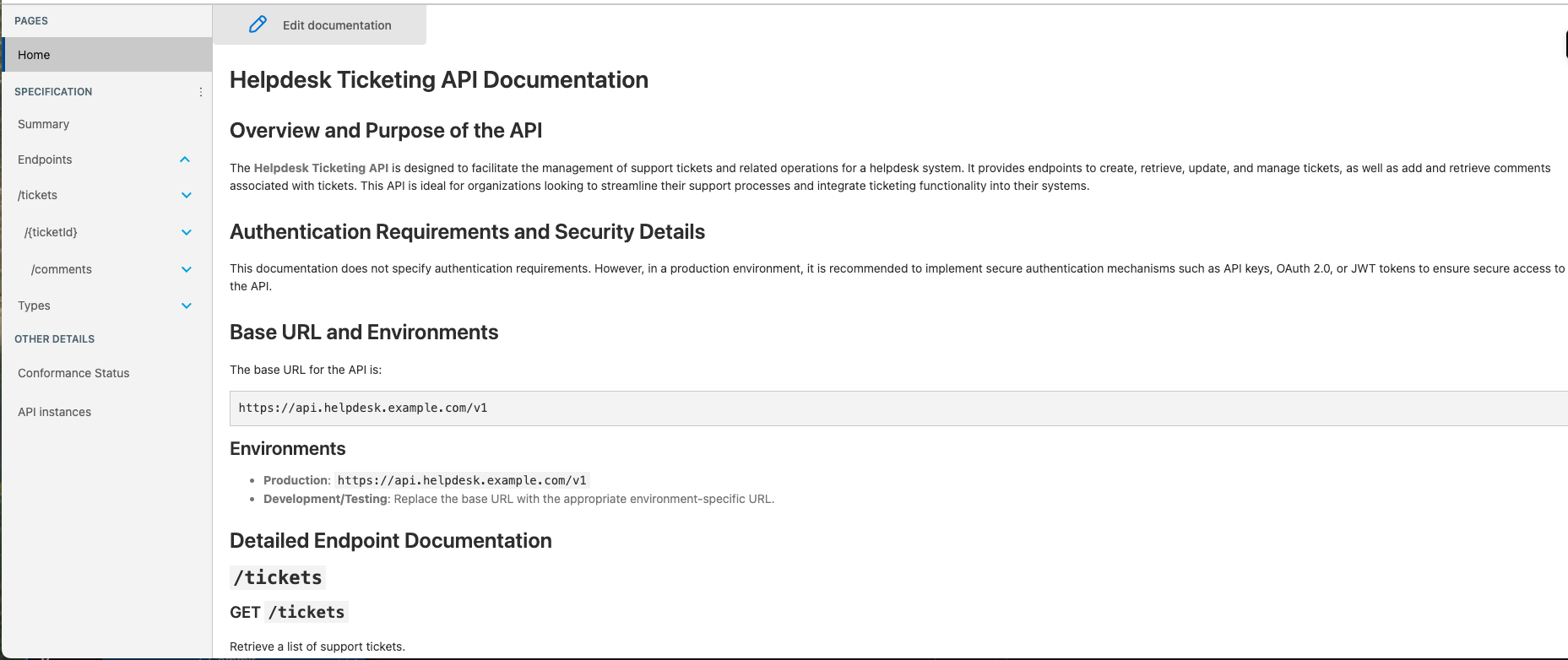
Generated documentation includes:
-
Overview and purpose of the API
-
Authentication requirements and security details
-
Base URL and environments
-
Detailed endpoint documentation including:
-
Request and response examples
-
Query parameters
-
Path parameters
-
Request body schemas
-
Response codes and examples
-
-
Error handling and status codes
-
Best practices for implementation
-
Sample code snippets
Before You Begin
Before generating API documentation with Generative AI, you must have these:
-
Generate Asset Documentation with AI permission.
-
Salesforce org account with Agentforce enabled in Anypoint Platform.
To enable Agentforce in Anypoint Platform, see Enable Agentforce for Your Anypoint Platform Organization.
-
When you upload a zip file, Anypoint Exchange extracts its content before processing. The extracted size of your API specification must not exceed 1.2 MB, and the zip file must not contain more than 50 files.
Generate API Documentation with Generative AI
Generate documentation for API assets that don’t have any documentation. You can edit and save a draft as many times as you like before publishing.
| Drafts aren’t visible to others until you publish them. You must publish the documentation for it to be available to your organization. |
-
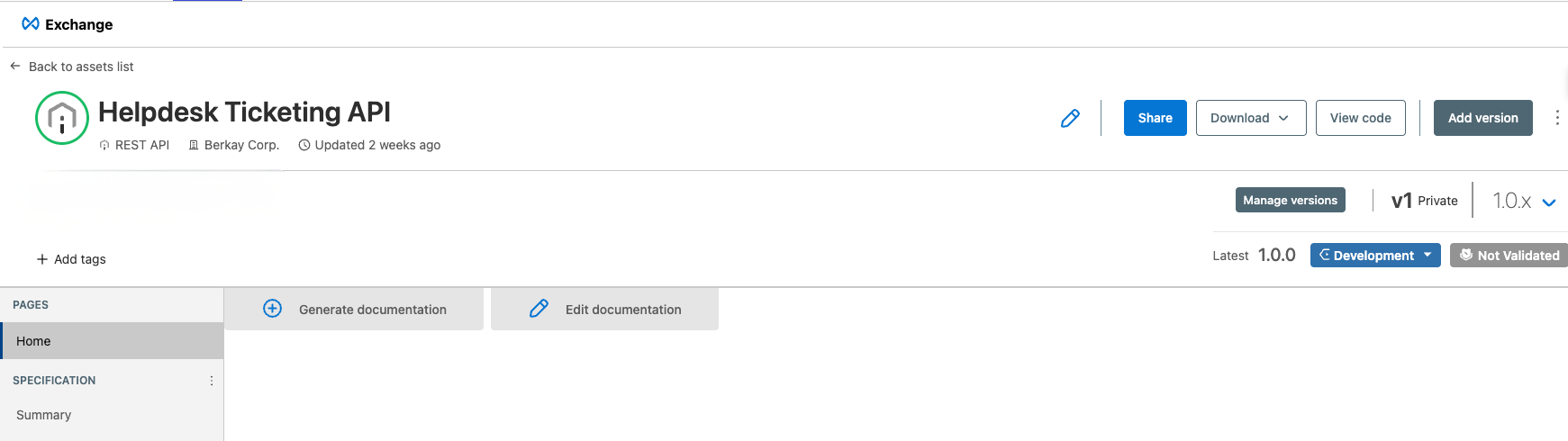
Select the API from the catalog and click Generate documentation from the asset details page.
-
Review the generated documentation in draft mode.
-
To edit the AI-generated documentation, click Edit in draft mode, make your changes, and save the draft.
-
Click Publish to make the documentation visible to everyone in your organization.
For more information about editing asset documentation, see to-describe-an-asset.adoc#edit-asset-documentation.