
Consume a REST Service Example
The following example illustrates how to configure Anypoint Connector for HTTP (HTTP Connector) to consume a REST service by setting up the HTTP Listener source and the Request operation.
To accomplish this example, you must:
-
Consume a REST API service using default HTTP configurations.
-
Test the HTTP request.
-
Edit the configuration to make secure HTTPS requests.
-
Test the HTTPS request.
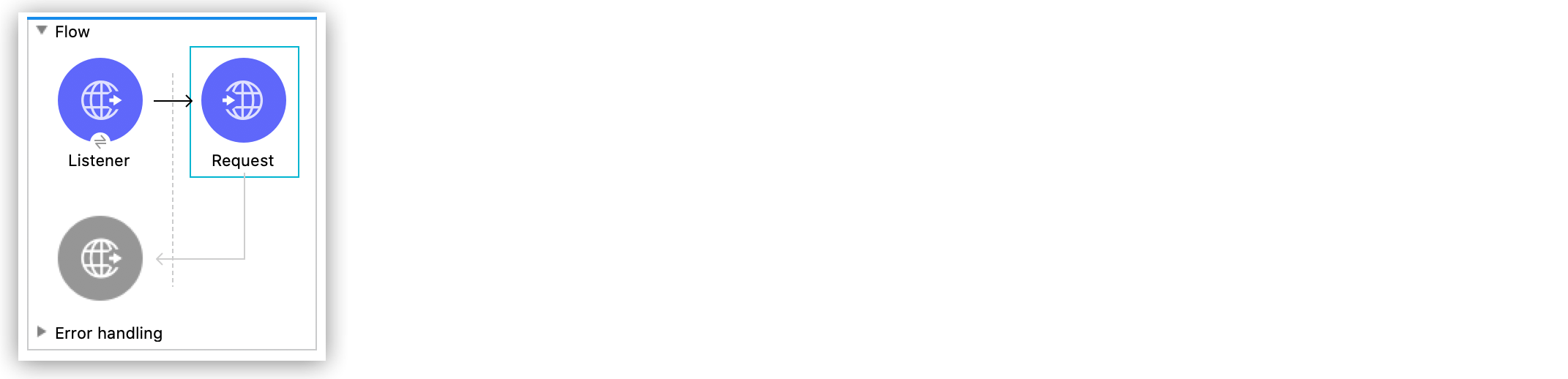
The following screenshot shows the Anypoint Studio app flow for this example:
Create the Mule Application
To create the Mule flow:
-
In the Mule Palette view, select the HTTP Listener source and drag it on to the canvas.
The source initiates the flow by listening for incoming HTTP message. -
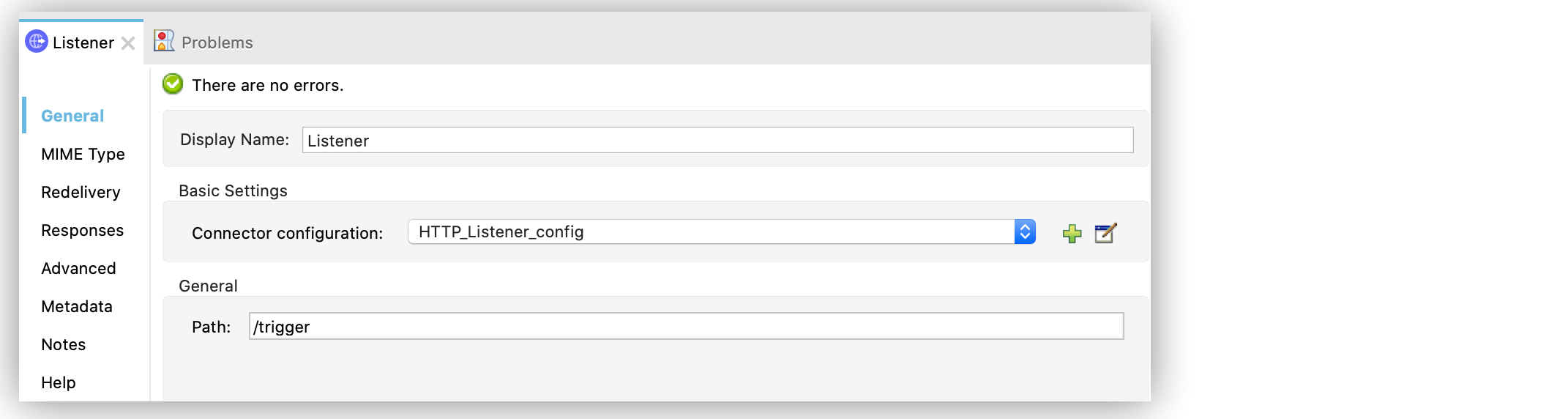
On the Listener configuration screen, optionally change the value of the Display Name field.
-
Set Path to
/trigger. -
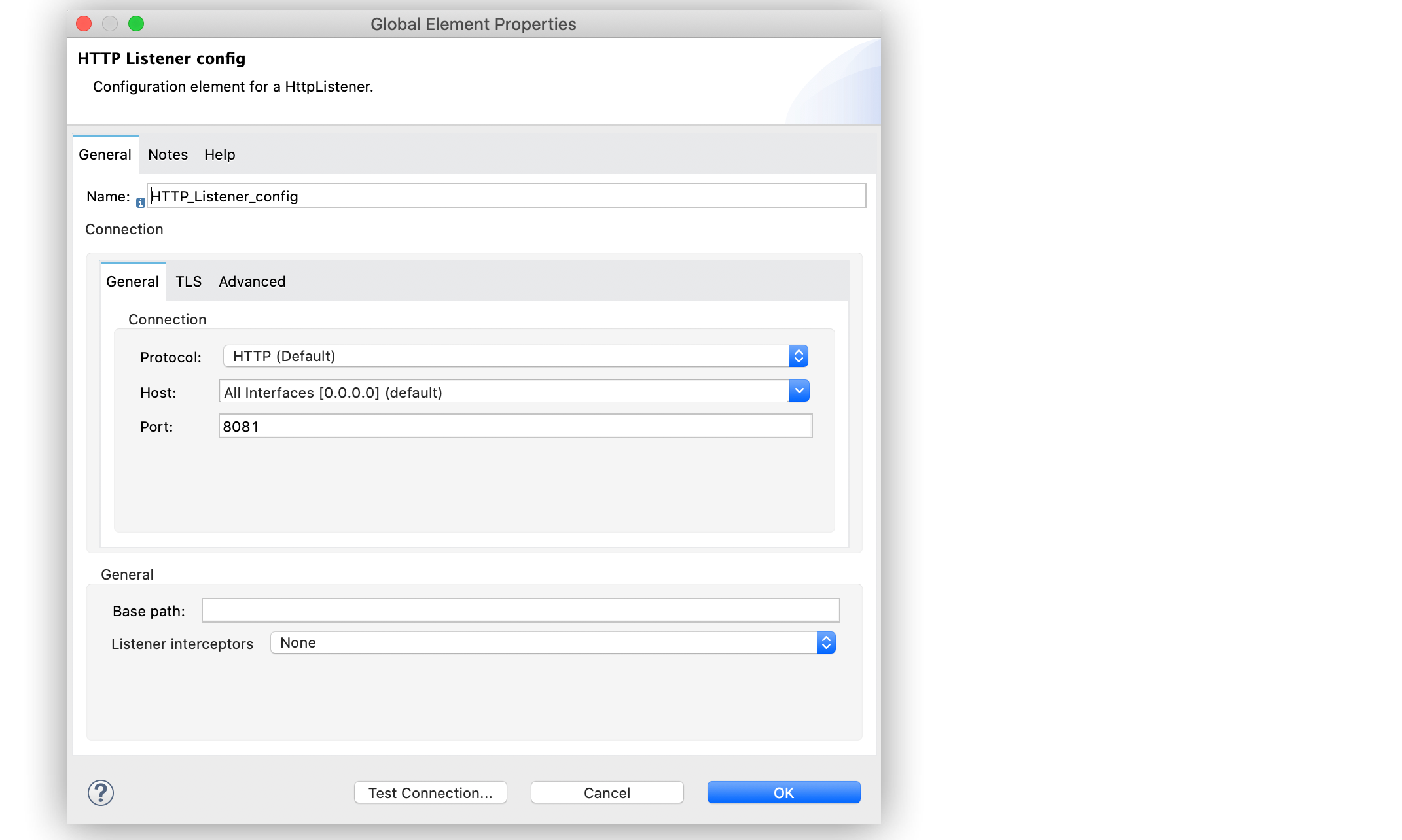
Click the plus sign (+) next to the Connector configuration field to configure a global element that can be used by all instances of the HTTP Listener in the app.
-
On the General tab, configure the following fields:
-
Host:
All Interfaces [0.0.0.0] (default) -
Port:
8081
-
-
Click OK.
-
Drag an HTTP Request operation to the right of HTTP Listener.
-
Set URL to
http://jsonplaceholder.typicode.com/users.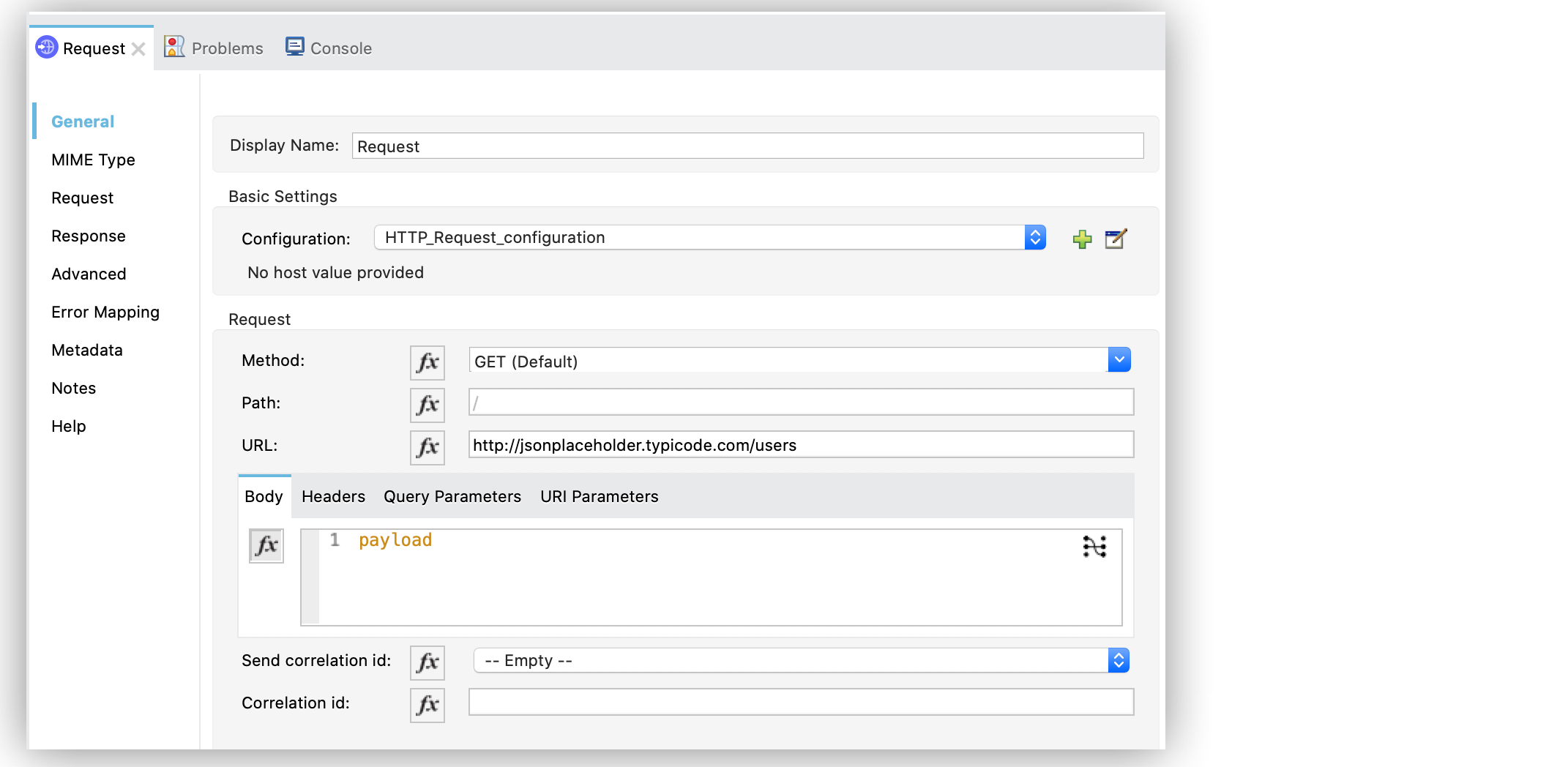
-
Save your Mule app.
-
Click the project name in Package Explorer and then click Run > Run As > Mule Application.
-
Open a web browser, and go to
localhost:8081/trigger.
The Listener hears the request on port8081, and starts the app. The list of users appears in the browser. -
Return to the Request configuration screen and set the URL field to
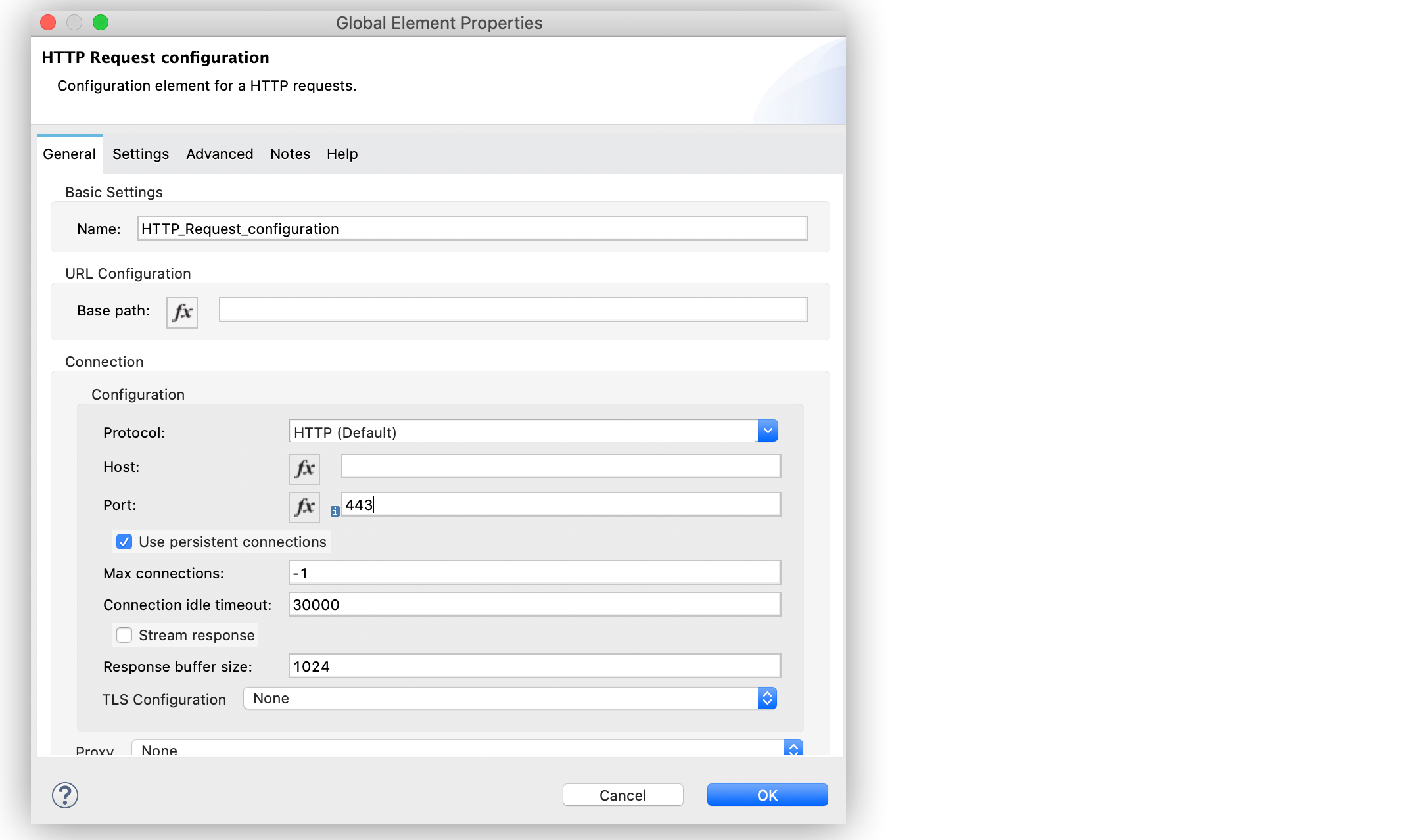
https://jsonplaceholder.typicode.com/usersto use the HTTPS protocol. -
Click the plus sign (+) next to the Connector configuration field to configure a global element that can be used by all instances of the HTTP Request in the app.
-
Set Port to
443. -
Click OK.
-
Save and run your Mule app.
-
Open a web browser, and go to
localhost:8081/trigger.
The Listener hears the request on port8081, and starts the app. The list of users appears in the browser.
XML for Consuming a REST API Service
Paste this code into your Studio XML editor to quickly load the flow for this example into your Mule app:
<?xml version="1.0" encoding="UTF-8"?>

<mule xmlns:http="http://www.mulesoft.org/schema/mule/http" xmlns="http://www.mulesoft.org/schema/mule/core"
	xmlns:doc="http://www.mulesoft.org/schema/mule/documentation"
	xmlns:xsi="http://www.w3.org/2001/XMLSchema-instance" xsi:schemaLocation="http://www.mulesoft.org/schema/mule/core http://www.mulesoft.org/schema/mule/core/current/mule.xsd
http://www.mulesoft.org/schema/mule/http http://www.mulesoft.org/schema/mule/http/current/mule-http.xsd">
	<http:listener-config name="HTTP_Listener_config" doc:name="HTTP Listener config" >
		<http:listener-connection host="0.0.0.0" port="8081" />
	</http:listener-config>
	<http:request-config name="HTTP_Request_configuration" doc:name="HTTP Request configuration" >
		<http:request-connection port="443" />
	</http:request-config>
	<flow name="Flow" >
		<http:listener doc:name="Listener" config-ref="HTTP_Listener_config" path="/trigger"/>
		<http:request method="GET" doc:name="Request"  config-ref="HTTP_Request_configuration" url="https://jsonplaceholder.typicode.com/users"/>
	</flow>
</mule>