
Move Transformation to Separate Files (Anypoint Studio)
By default, the DataWeave code from a Transform Message component is expressed inline within your Mule XML file. You can instead keep each in a separate file ( .dwl ) and have your XML reference them. These files are packaged with your Mule application when built.
To export the DataWeave code to a .dwl file:
-
Click the Edit Current Target button.
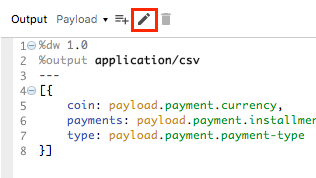
-
Select the File radio button.
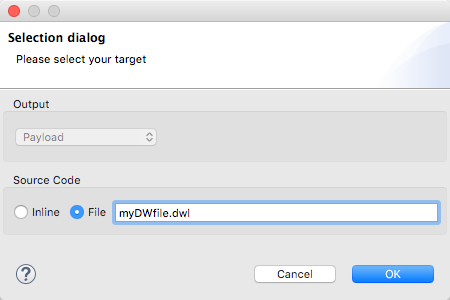
-
Type a name for your
.dwlfile. -
Click OK.
-
A file is created under the src/main/resources folder in your project containing your DataWeave code.