
Configure Preferred Authentication
Anypoint Connector for SFTP (SFTP Connector) enables you to configure preferred authentication methods in the SFTP global configuration of the connector. The following example shows how to configure different authentication methods in Anypoint Studio.
-
In Studio, navigate to the Global Elements tab.
-
In the Choose Global Type window, type
sftpin the search bar. -
Select SFTP Config.
-
Click OK.
-
Set Preferred authentication methods to Edit inline.
-
Click the plus sign to add one of the valid authentication methods:
GSSAPI_WITH_MIC,PUBLIC_KEY,KEYBOARD_INTERACTIVE, orPASSWORD. -
Set Value to
GSSAPI_WITH_MIC. -
Complete the remaining connection fields.
-
Click Test Connection….
-
Click OK.
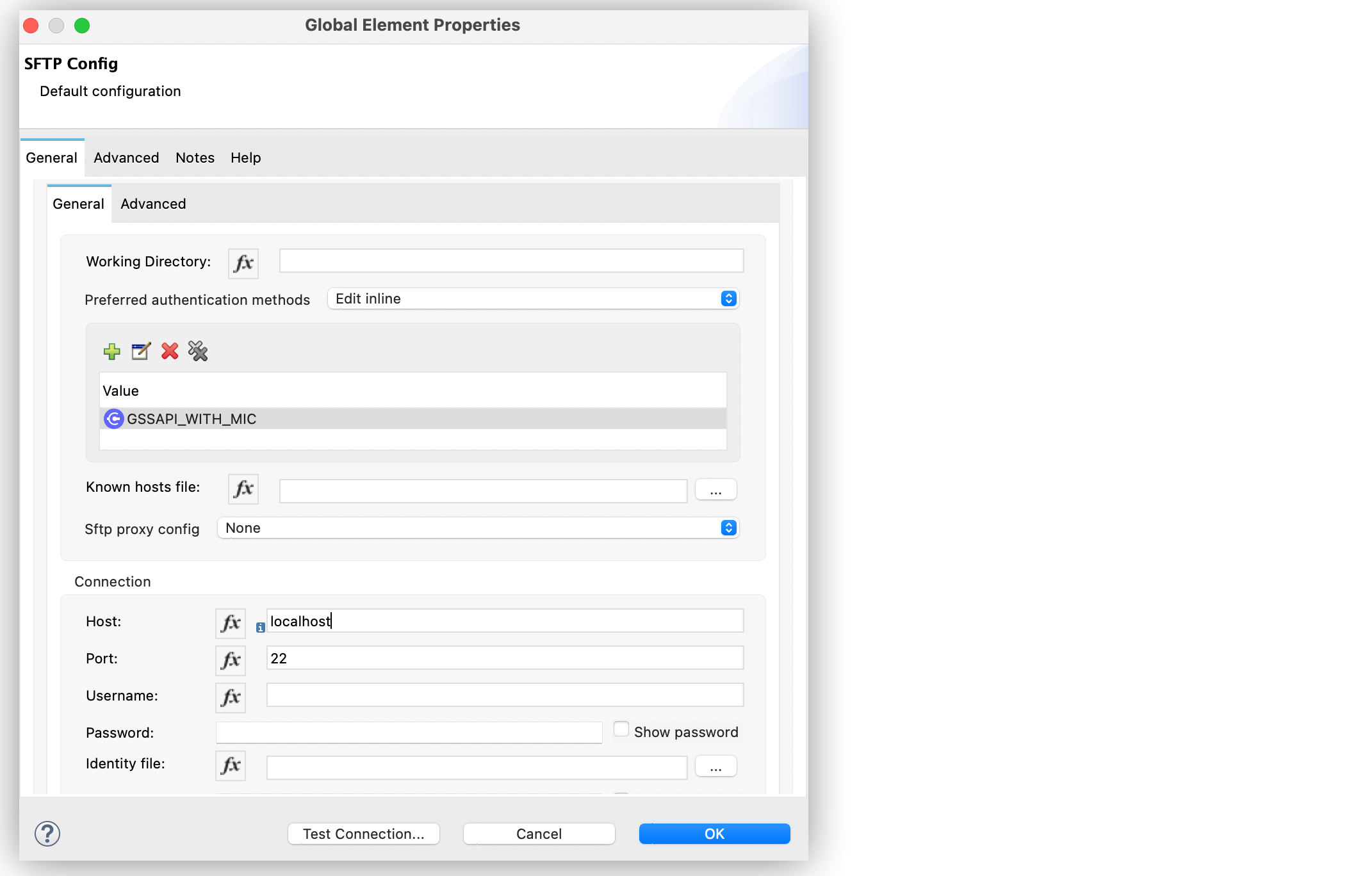
In the Configuration XML editor window, the configuration looks like this:
<sftp:config name="SFTP_Config" doc:name="SFTP Config" >
		<sftp:connection host="localhost" >
			<sftp:preferred-authentication-methods >
				<sftp:preferred-authentication-method value="GSSAPI_WITH_MIC" />
			</sftp:preferred-authentication-methods>
		</sftp:connection>
	</sftp:config>