
Export and Import Anypoint Studio Preferences
You can export your Anypoint Studio preferences and import them into a new version: for example, if you had to download a fresh copy of Studio and you want to recover your previous configurations.
Export Your Studio Configurations
-
In Studio, go to Preferences.
-
Ensure that you applied all the configurations that you want to export.
-
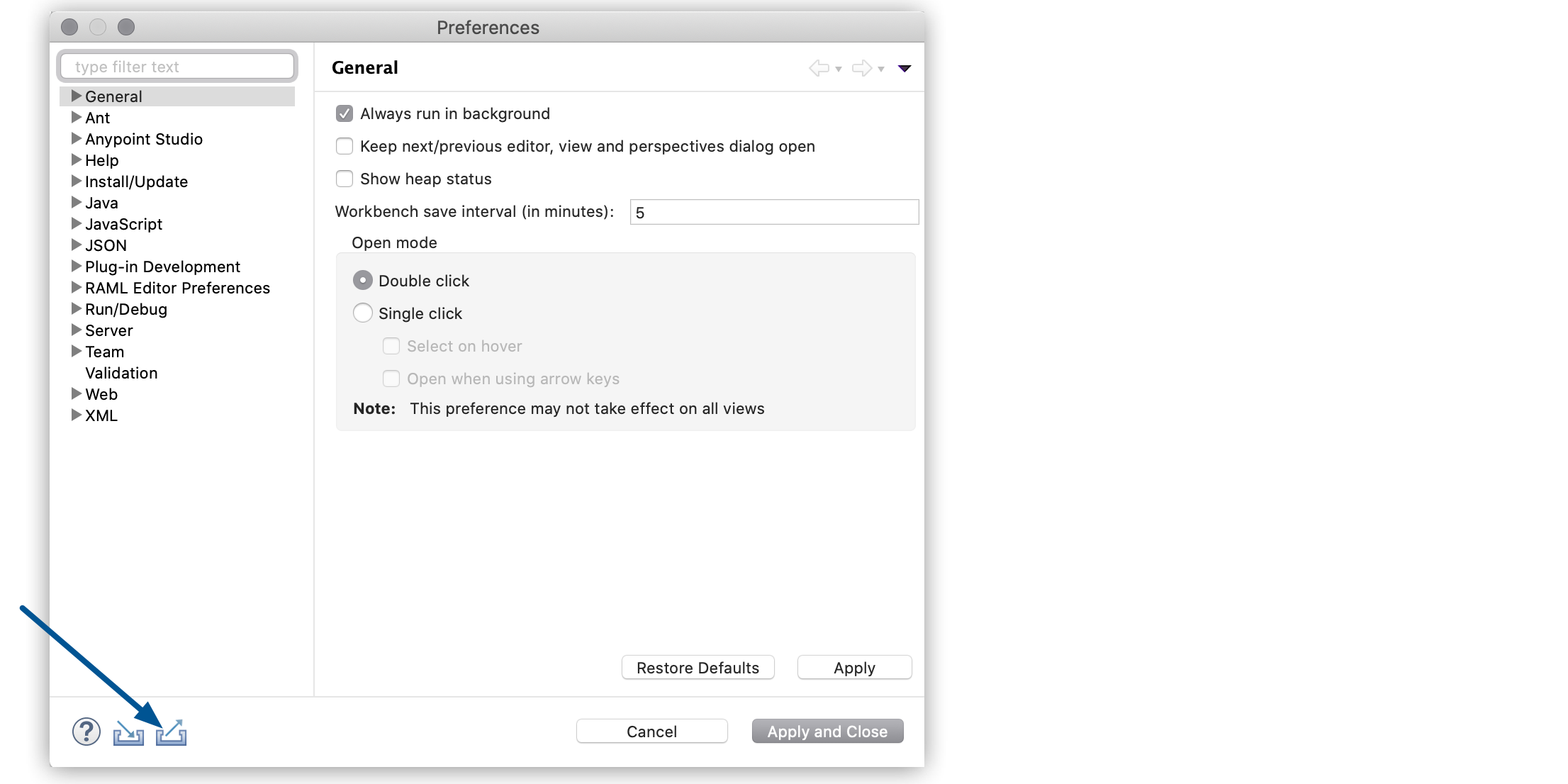
Select the export icon:
 .
.
-
Configure the preferences that you want to export:
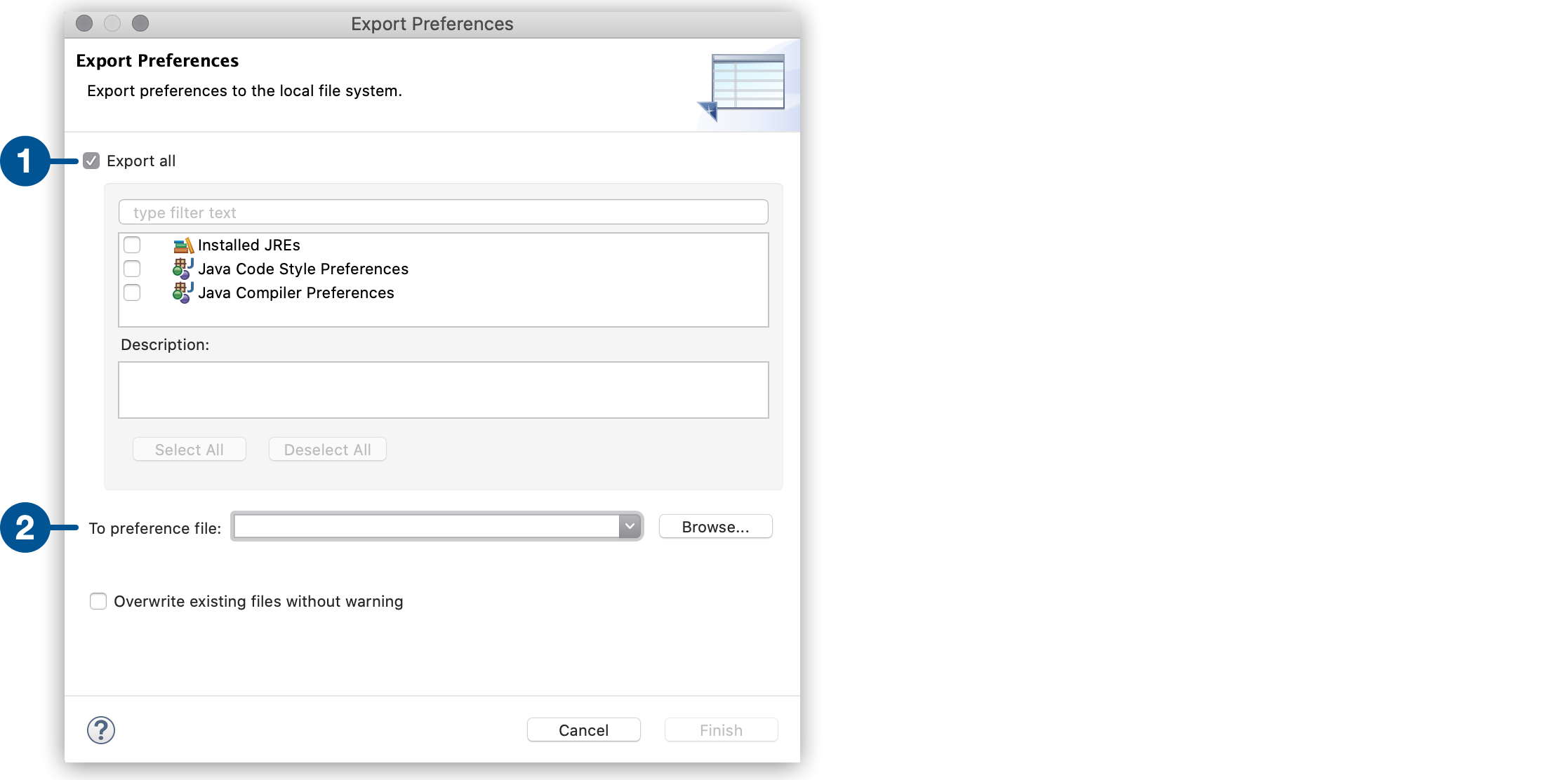
| 1 | Select Export all to export all of your preferences, or select the specific configurations that you want to export. |
| 2 | Define a location and name for your exported preferences. |
-
Select Finish.
Import Your Studio Configurations
When importing preferences, you must restart Studio to apply changes.
-
In Studio, go to Preferences.
-
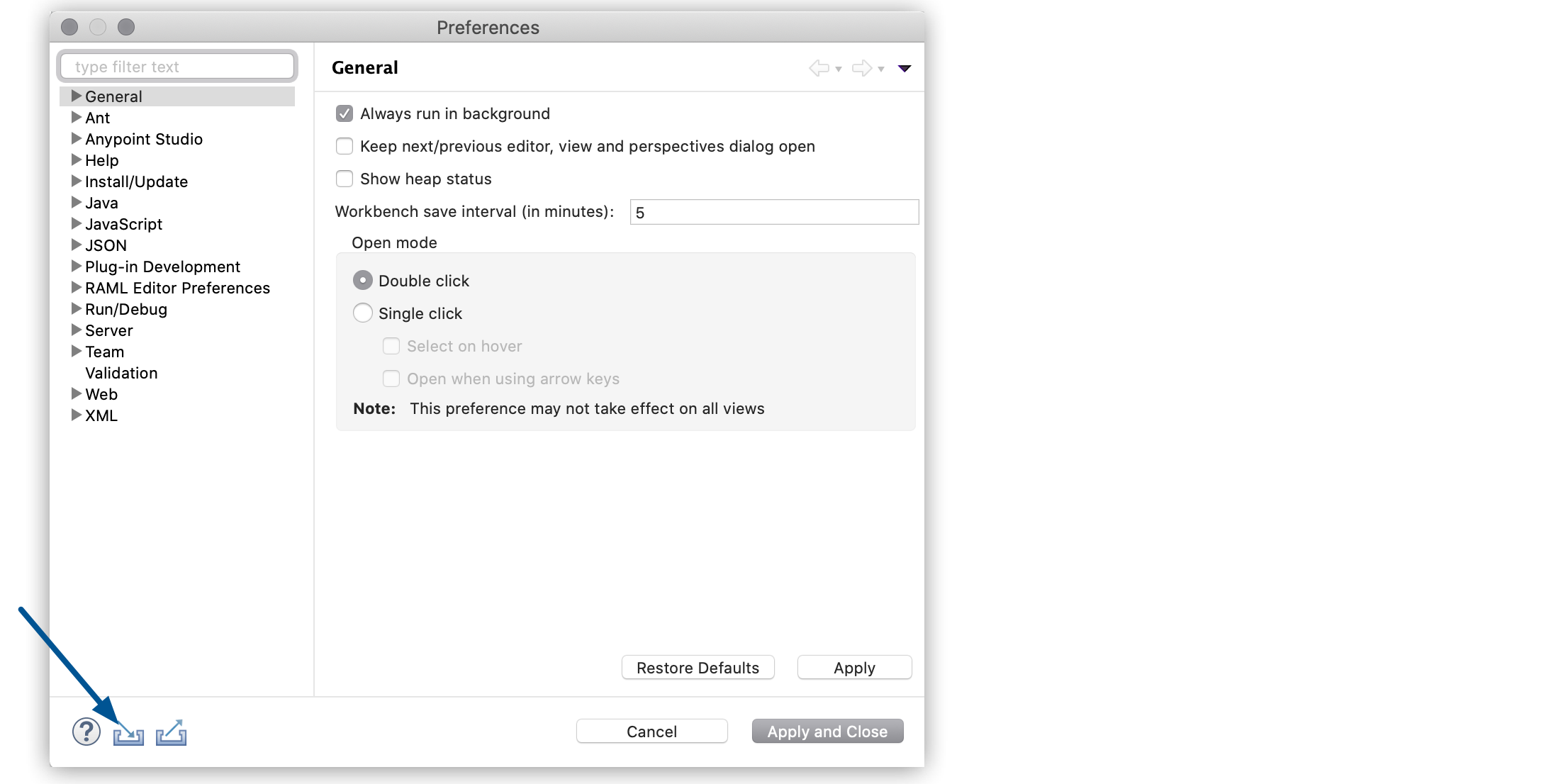
Select the import icon:
 .
.
Configure the preferences that you want to import:
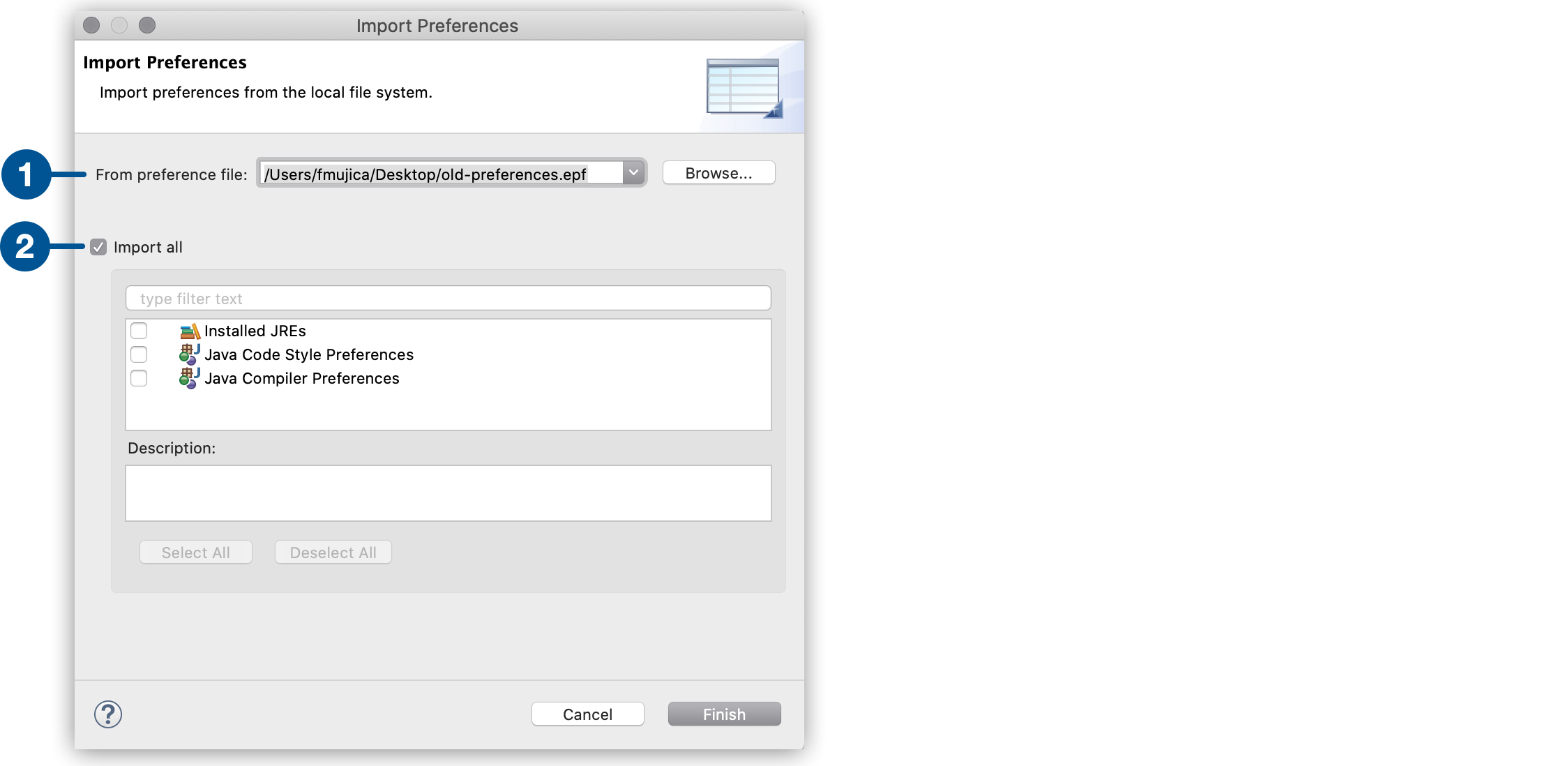
| 1 | Define the location for your preferences. |
| 2 | Select Import all to import all of your preferences, or select the specific configurations that you want to import. |
-
Select Finish.