
Read a File Using the FTP Connector Example
Anypoint Connector for FTP (FTP Connector) provides a Read operation that reads a file at any point in the flow. The operation reads the file in the given path and returns a Mule message with the following attributes:
-
The file’s content as the payload
-
The file’s metadata in the message attributes
-
If the file does not exist, you receive an
FTP:ILLEGAL_PATHerrorNote that the operation does not read directories. When the file is read from the FTP source folder, the file remains in the same folder until it is manually deleted.
The Read operation makes use of the repeatable streams functionality. The operation returns a list of messages, where each message represents a file in the list and holds a stream to the file. A stream is repeatable by default.
For more information about repeatable streams, refer to the Streaming in Mule Apps documentation.
Configure the Read Operation in Studio
To add and configure the Read operation in Studio, follow these steps:
-
In the Mule Palette view, search for
ftpand select the Read operation. -
Drag the Read operation onto the Studio canvas.
-
In the General tab of the operation configuration screen, click the plus sign (+) next to the Connector configuration field to access the global element configuration fields.
-
Specify the connection information and click OK.
-
In the General tab, set File Path to the path of the file to read, for example,
#[path]. -
In the MIME Type tab, set MIME Type to
application/xmland set Encoding toISO 10646/Unicode(UTF-8).
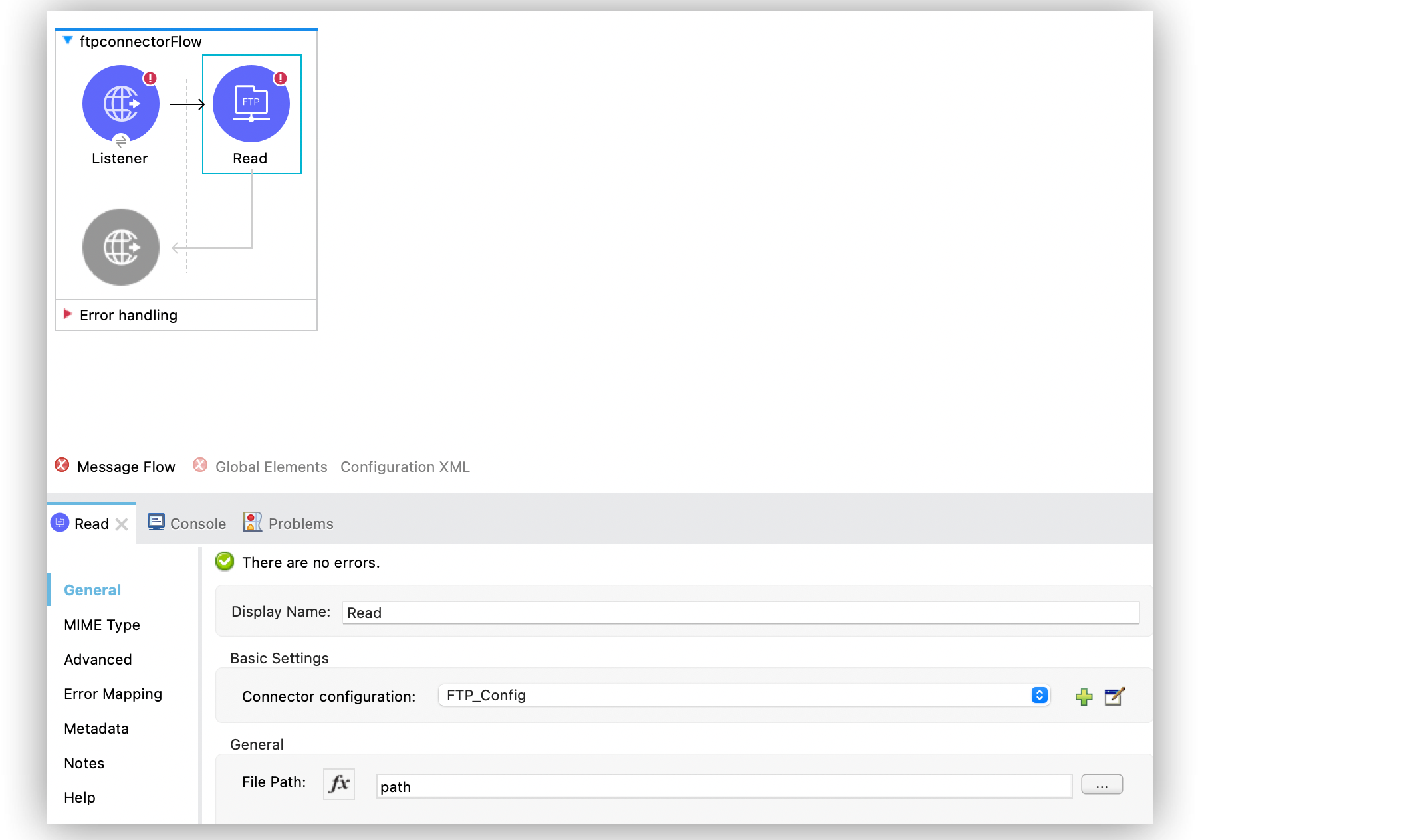
In the Configuration XML editor, the <ftp:read> configuration looks like this:
<ftp:read path="#[path]"
  lock="true|false"
  outputEncoding="UTF-8"
  outputMimeType="application/xml" />
MIME Types and Encoding
Each connector tries to determine a file’s MIME type from its extension. You can force the MIME type to a different value with the MIME Type (outputMimeType) parameter.
The same process works for encoding. By default, the connector assumes that the default encoding in the Mule runtime matches the MIME type of the file; however, you can set the encoding through the Encoding (outputEncoding) parameter.
Why MIME Types Matter
DataWeave expressions are embeddable inside operations that generate payloads and other values. Having the correct MIME type set helps DataWeave auto-assign types and also generate the correct outputs. Also, maximizing the use of DataSense’s functionality improves the user experience.
File Locks
File system level locks are not possible in FTP or SFTP, so each operation uses a Mule lock that protects only the file from other flows in the same Mule application. These locks do not protect the file from external processes. However, if the Mule application is running on a cluster, the lock is distributed.
The file lock is automatically released when either of the following occur:
-
The Mule flow that locked the file ends
-
The file content has been fully read
If the file is already locked by someone else, the connector cannot unlock it, resulting in a FTP:FILE_LOCK error.
|