
Configure URI Template Regex
You can specify a regular expression (regex) to include multiple paths when you apply a policy to a subset of resources exposed by an API. The URI template regex field in the policy enables you to specify this expression.
When configuring URI template regex, you must consider the base path of the Mule runtime engine (Mule) application that implements (or proxies) the API. This is because Mule 4 resource-level policies depend on where an API is deployed.
This diagram displays the list of methods used to specify the resource subset to apply to a policy:
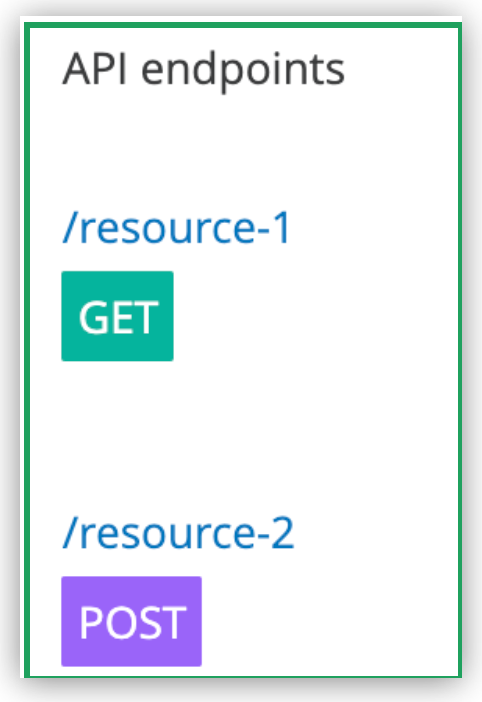
Imagine that this API specification is implemented in the following Mule application:
<api-gateway:autodiscovery apiId="1" flowRef="proxy"/>

<http:listener-config name="httpConfig" basePath="api">
   <http:listener-connection host="localhost" port="80"/>
</http:listener-config>

<flow name="proxy">
   <http:listener config-ref="httpConfig" path="v1/*" />
   <logger />
</flow>
In this example, http:listener-config defines both a basePath attribute and an additional path, v1, before the trailing in the path v1/. The concatenation of these two paths is referred to as the base path, which is /api/v1.
To invoke the first resource of the API resource-1, you must use the base path in combination with the resource path resource-1: http://localhost:80/api/v1/resource-1.
Subsequently, if you want to protect resource-1 with a policy, you must use a resource-level policy. Therefore, the URI template regex that you specify when applying the policy must also include the base path in it:
The diagram illustrates how to configure a URI template regex:
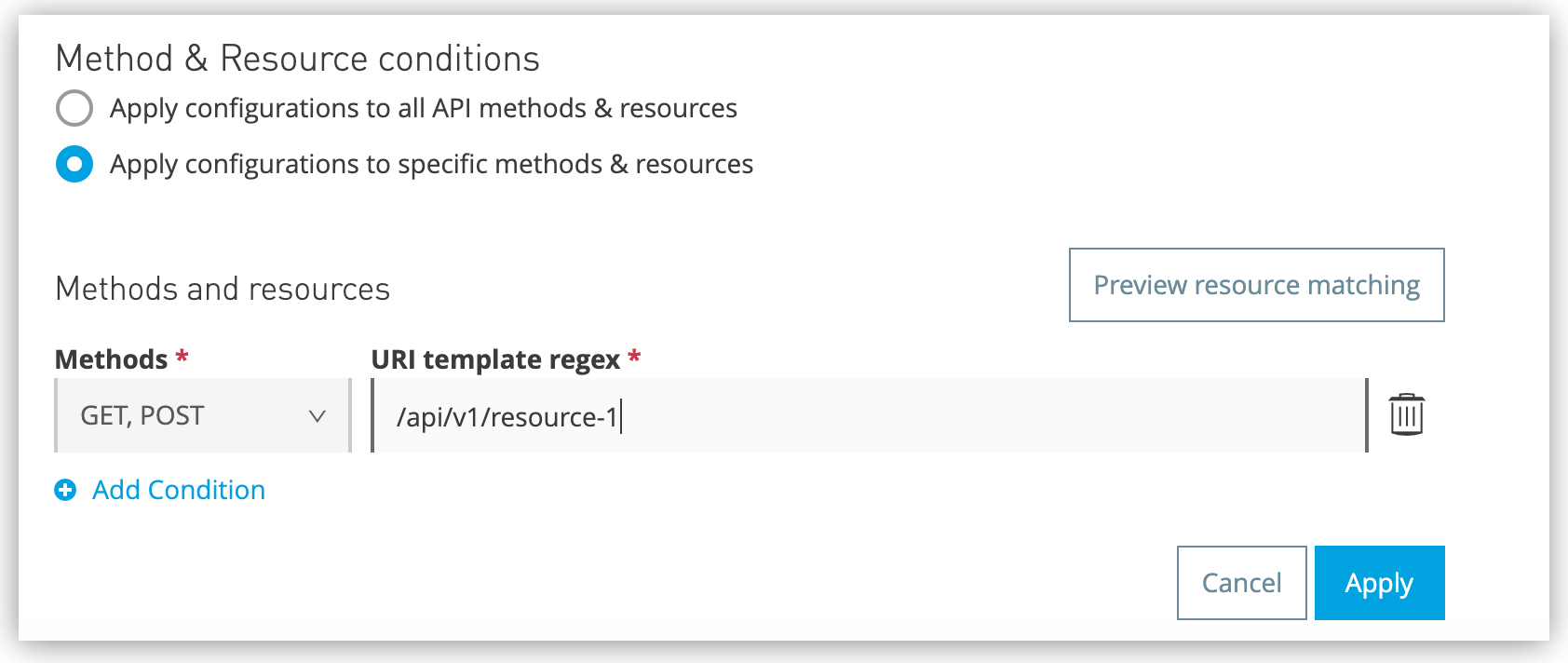
If the API is of RAML or OAS type, the Preview Resource Matching option does not indicate that any resource is being matched, which differs from the actual runtime behavior.
You can also use a regex to avoid having to explicitly specify the base path, for example, .*/resource-1. However, if you have resources with the same name at different levels of the API definition, the regex will match all of them, resulting in issues. This is because the regex will match with both /api/v1/resource-1, and /api/v1/resources/resource-1, which makes it an indecisive solution.
When to Use ignoreBasePath
Including the base path in the full path of the resource when applying resource-level policies forces a coupling between the API in design time and the API in runtime. This is because you are required to know the base path where the API is going to reside when applying resource-level policies.
To avoid this coupling issue, Mule 4.3.0 includes a new configuration that allows the Mule policy engine to ignore the base path of the API resource when matching the incoming HTTP request with the policy’s URI template regex.
The configuration is exposed on the Mule application implementing the API:
<api-gateway:autodiscovery apiId="1" flowRef="flow_api" ignoreBasePath="true"/>When the ignoreBasePath attribute is set to true, the base path where the API is deployed is not considered anymore.
Feature Prerequisites
To implement this feature, ensure that your Mule application:
-
Is running in Mule 4.3.0
-
Contains the Anypoint Connector for HTTP (HTTP Connector) 1.5.15 or later
To achieve backward compatibility, this feature is disabled unless the attribute is explicitly set to true. If your Mule applications are running in Mule versions prior to 4.3.0 and have resource-level policies correctly configured, you do not need to make any changes to migrate to Mule 4.3.0 or later.
The latest versions of API proxies available in API Manager are preconfigured to ignore the base path. To avoid breaking existing resource-level policies that are implemented using previous versions of API proxies, the following major versions of API proxies are released with this feature:
-
HTTP Proxy 2.0.0
-
HTTP Proxy 3.0.0
|
Because resource-level policies work in compatibility mode in Mule versions 4.2.x and 4.1.x, deploying these proxy versions is not recommended. If you deploy these proxy versions, you will be required to update the URI Template configurations before migrating to Mule 4.3.x. |