SAP Custom BAPI Setup Guide
The following provides guidance on how to use the custom BAPI code (for example, ZBAPI_CUSTOMER_V3) for your SAP instance.
| You must complete the following instructions before deploying the Customer profile sync from SAP use case. |
BAPI custom objects
You must create the following ABAP objects in order to use this custom BAPI, which are described below.
Structures
-
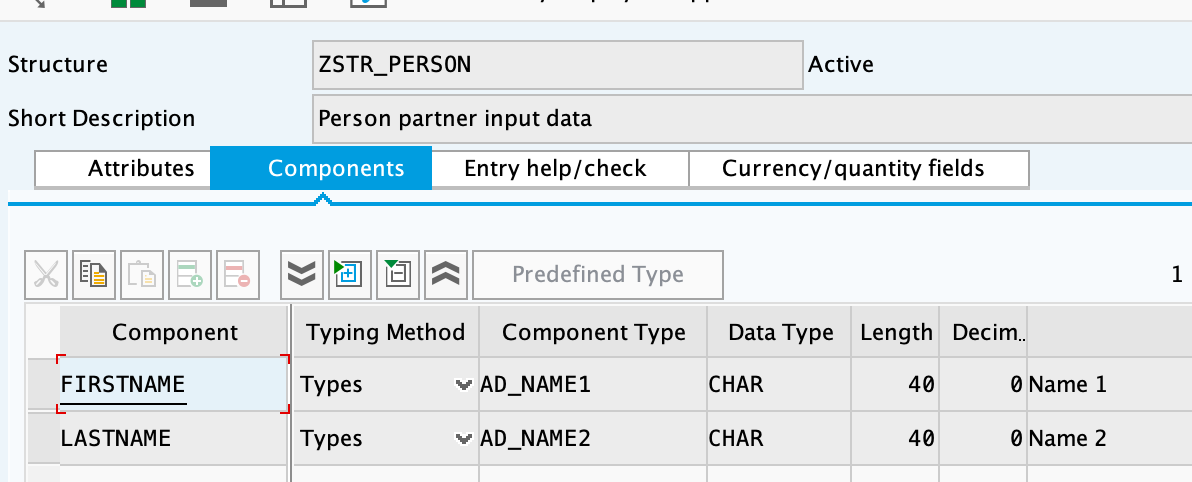
ZSTR_PERSON -
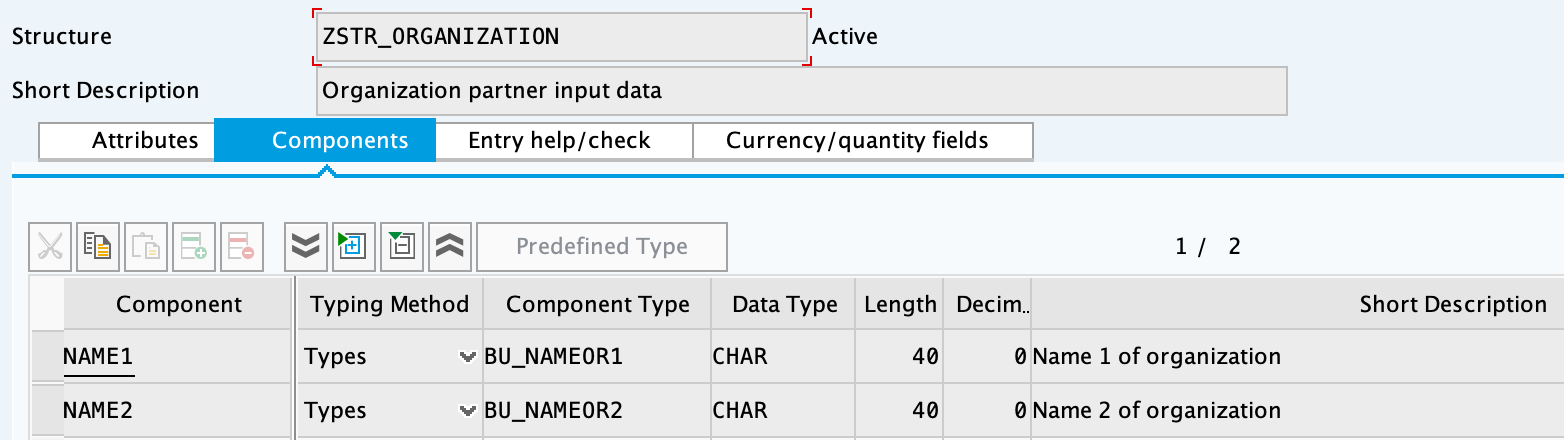
ZSTR_ORGANIZATION -
ZSTR_GROUP -
ZES_CUSTOMER -
ZES_CONTROLDATA
See Creating structures.
Function Groups
-
ZFG_CUSTOMER -
ZFG_CUSTOMER2
-
ZBAPI_CUSTOMER -
ZBAPI_CUSTOMER_CREATE -
ZBAPI_CUSTOMER_CUSTOM_FIELDS -
ZBAPI_CUSTOMER_UPDATE
-
ZBAPI_QUERY -
ZBAPI_ADDR_QUERY -
ZBAPI_QUERY_SAP -
ZBAPI_CUST_QUERY -
ZBAPI_CUSTOMER_CD
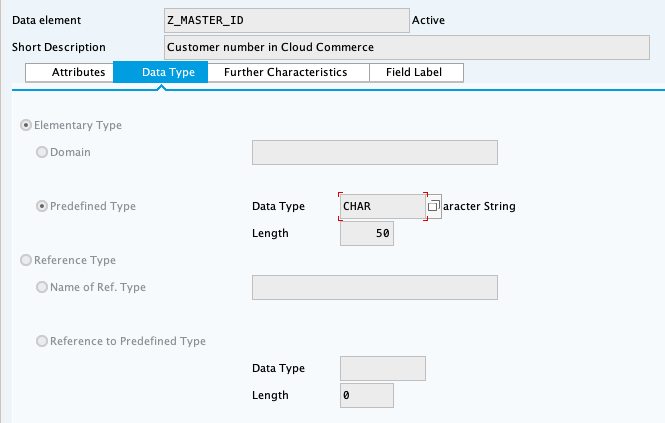
Creating structures
| Object | How to create |
|---|---|
|
|
|
|
|
|
|
|
|
|
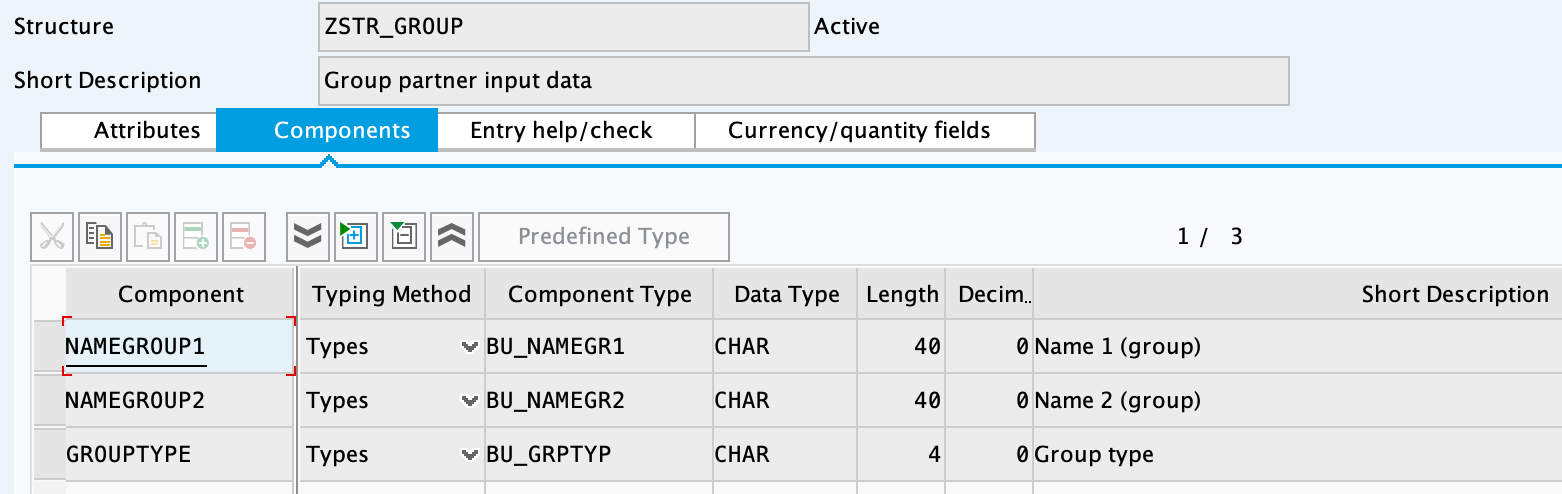
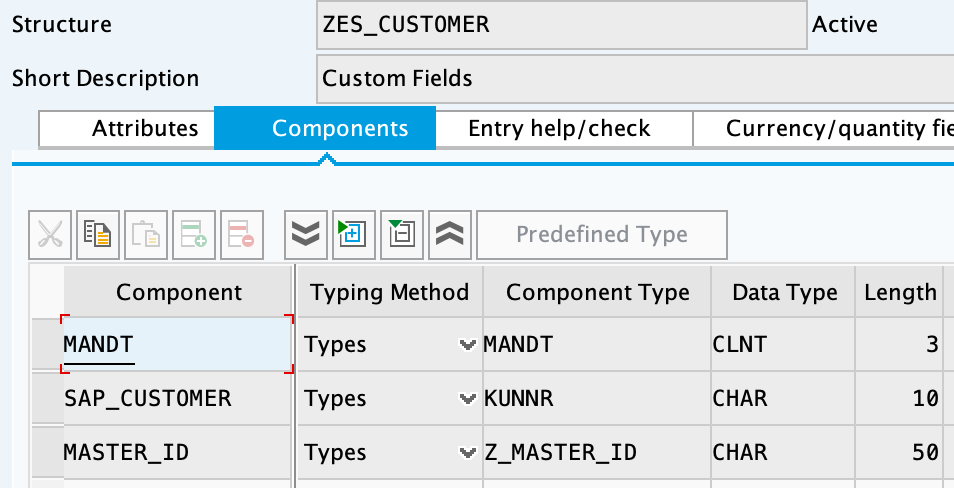
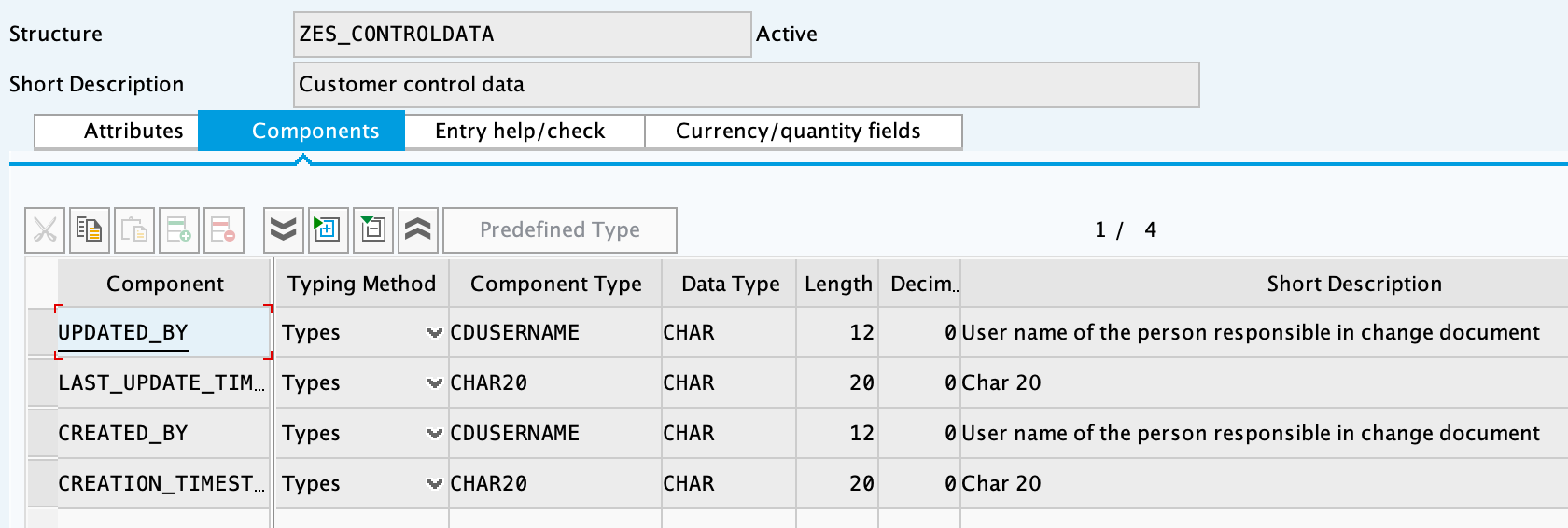
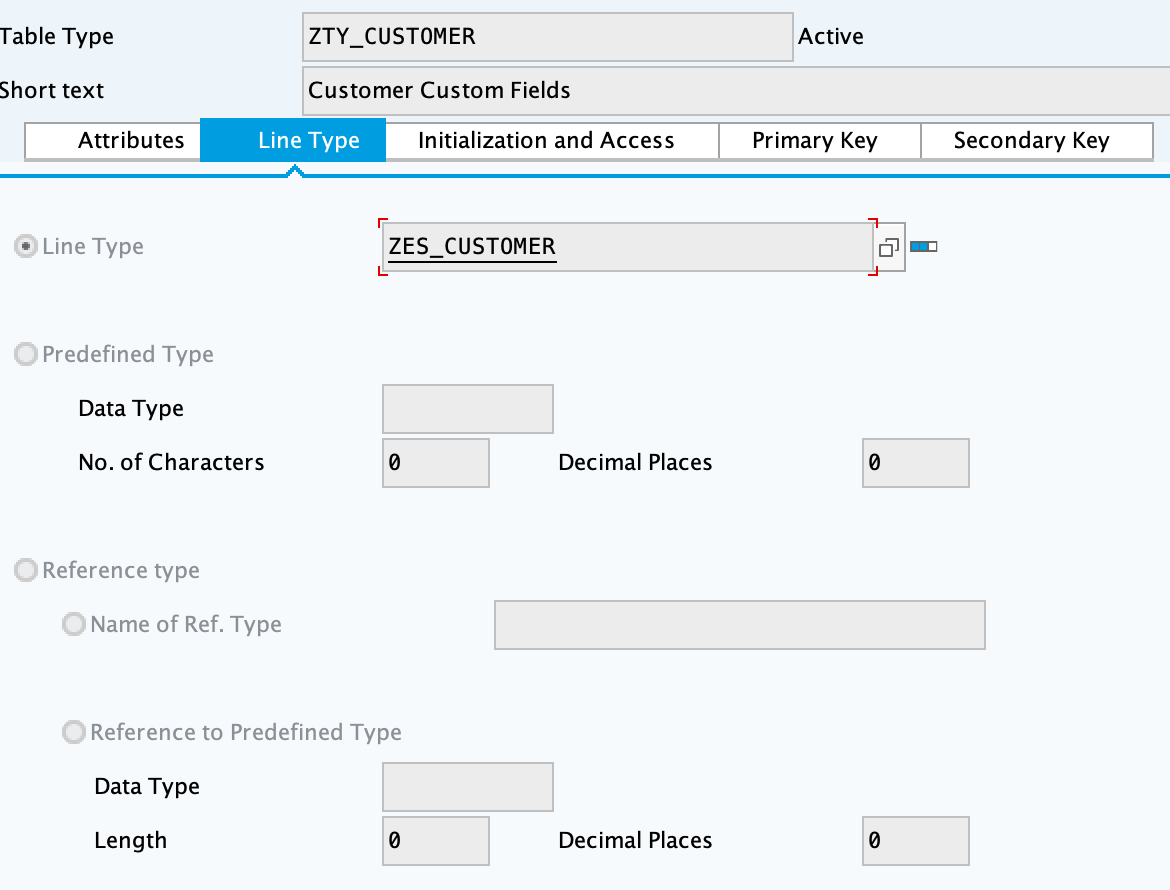
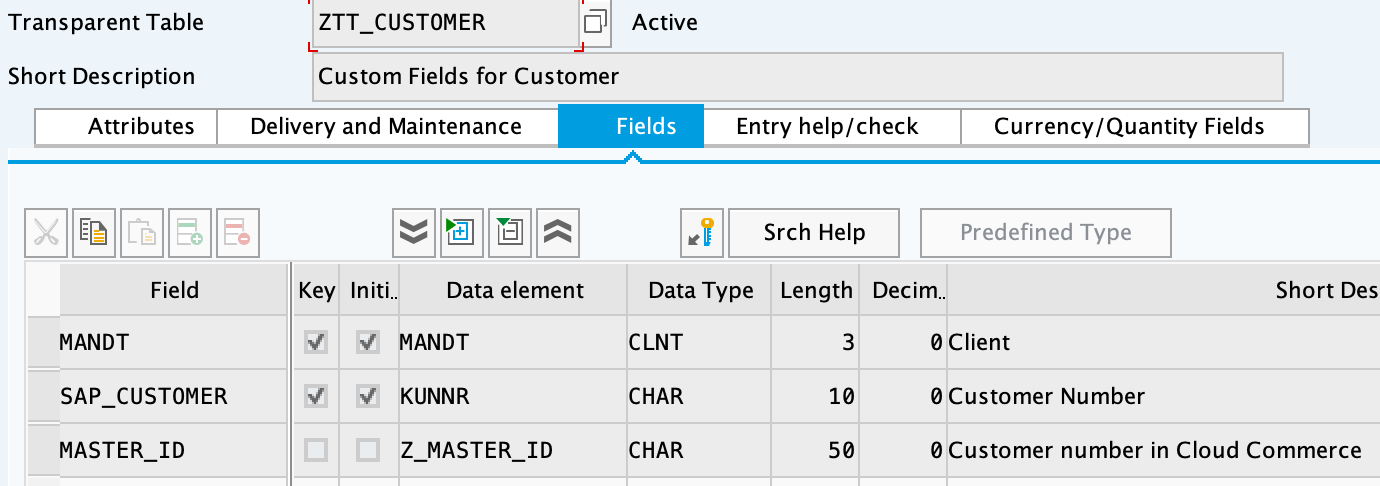
Creating function groups and function modules
ZBAPI Customer modules
-
Create the function group "ZFG_CUSTOMER_V3".
-
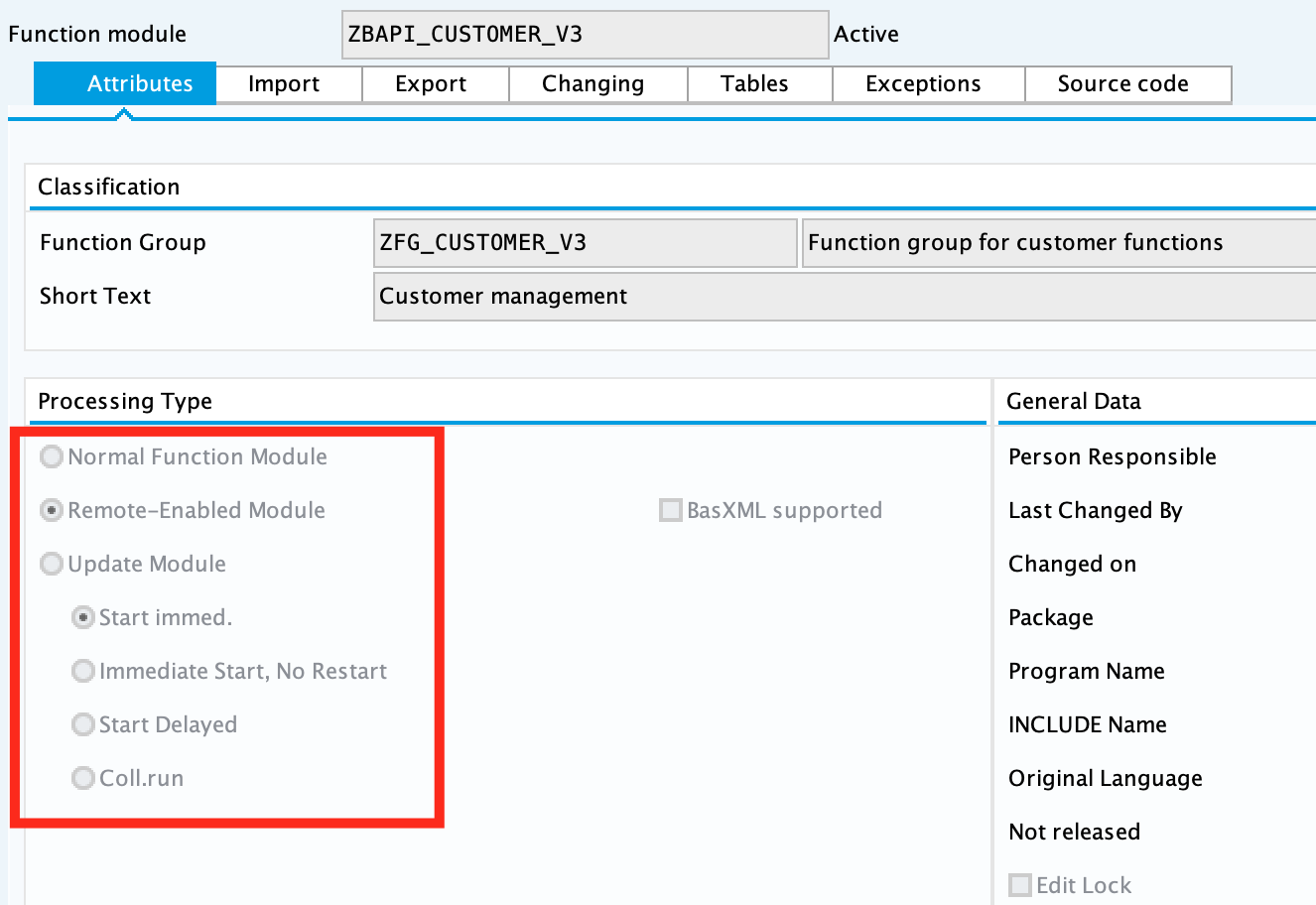
Create the function module "ZBAPI_CUSTOMER_V3", using "Remote-enable module" as processing type:
-
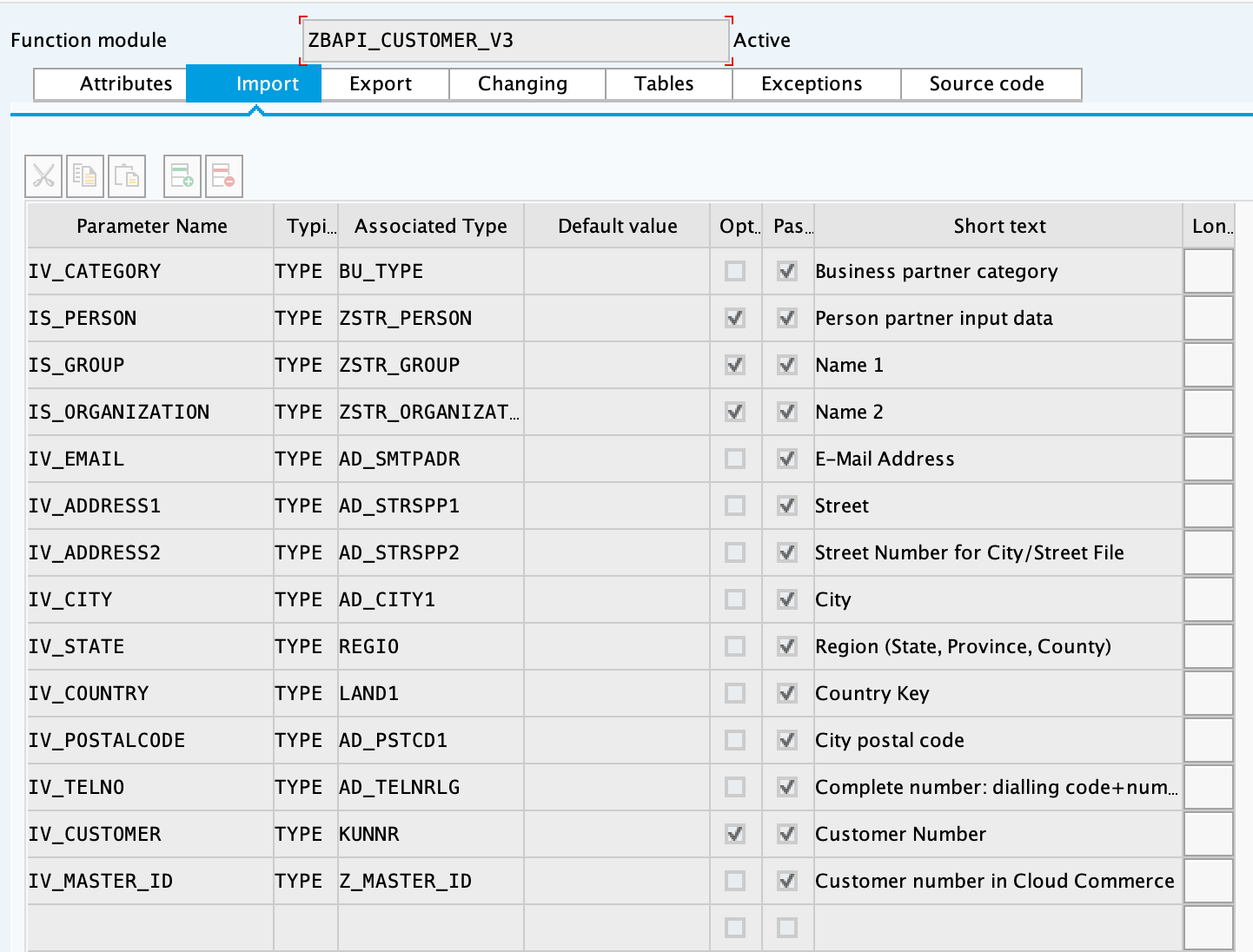
Complete the import parameters with the following:
-
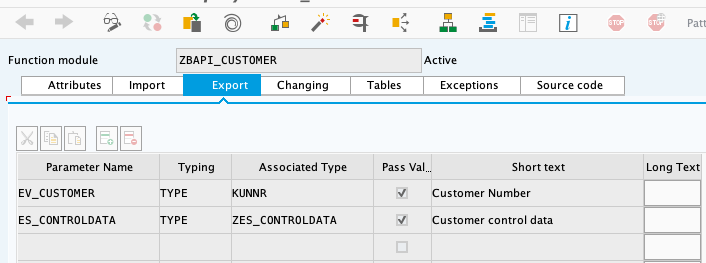
Complete the export parameters with the following:
-
Copy and paste the code from "ZBAPI_CUSTOMER_V3.txt".
-
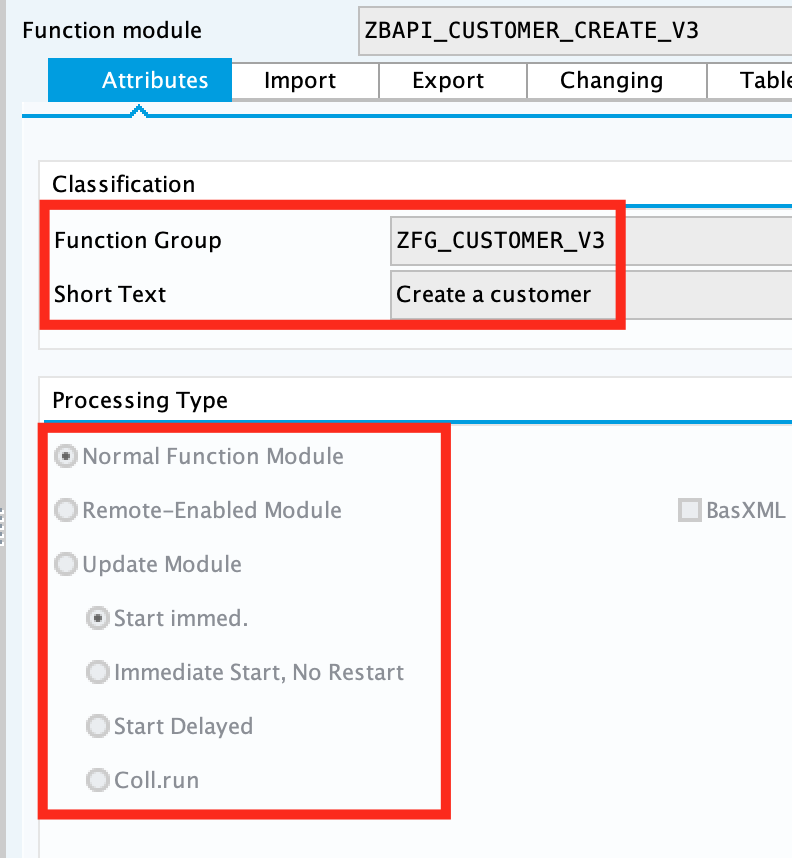
Create the function module "ZBAPI_CUSTOMER_CREATE_V3":
-
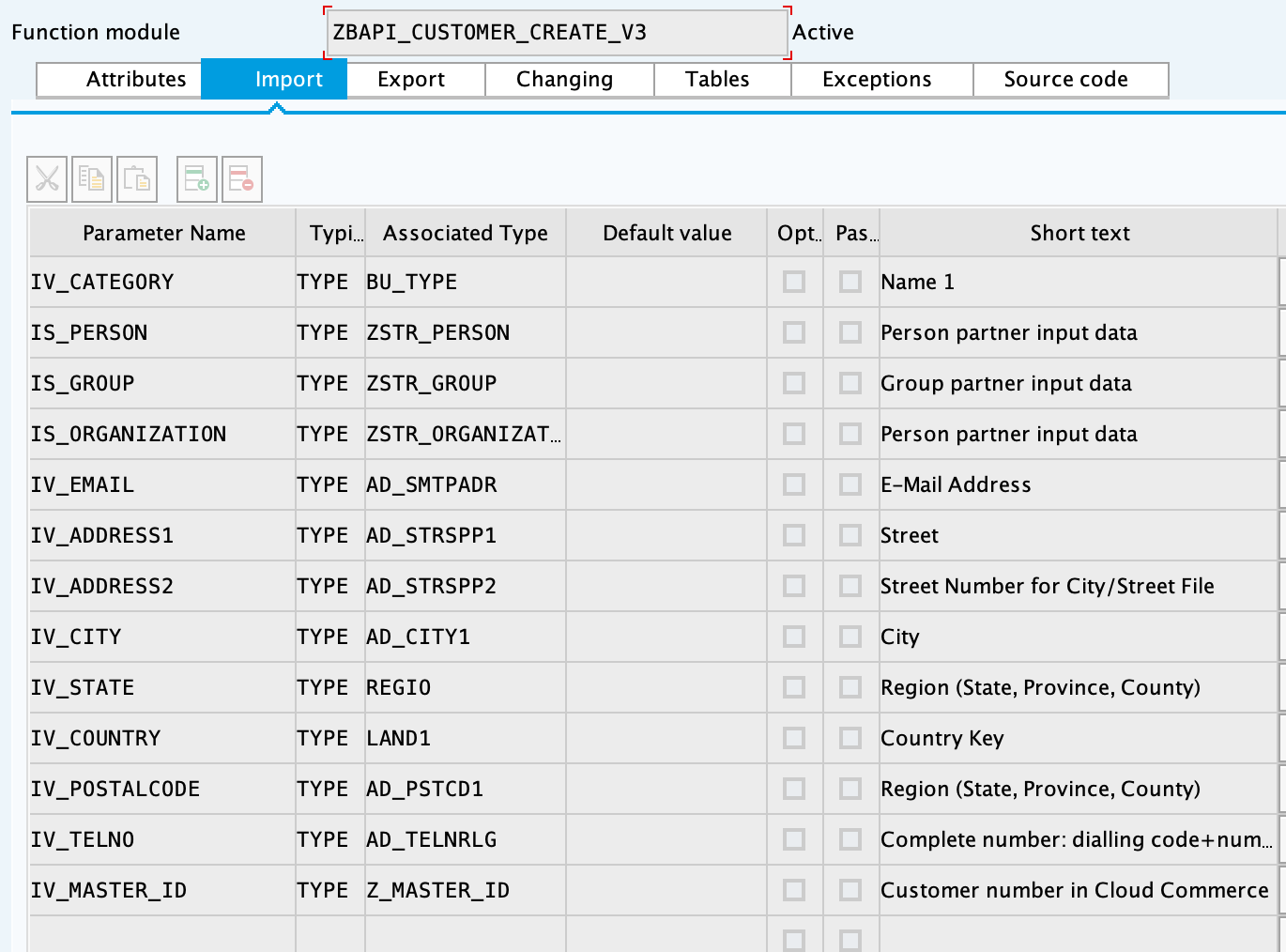
Complete the import parameters with the following:
-
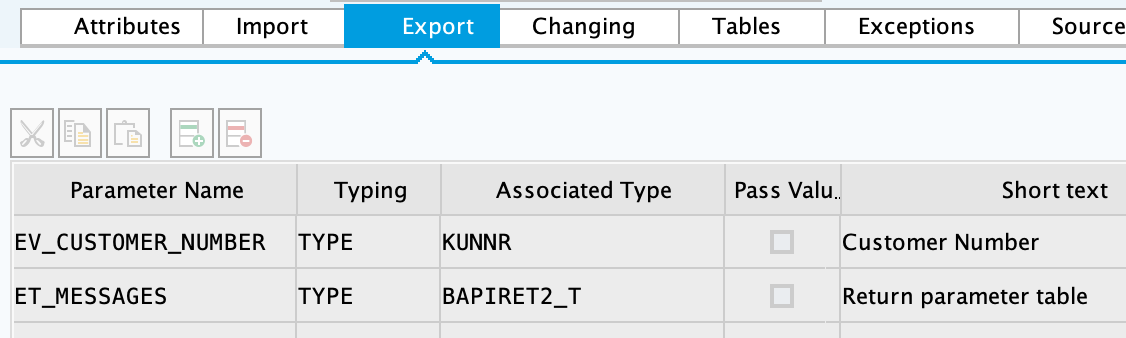
Complete the export parameters with the following:
-
Copy and paste the code from "ZBAPI_CUSTOMER_CREATE_V3.txt".
-
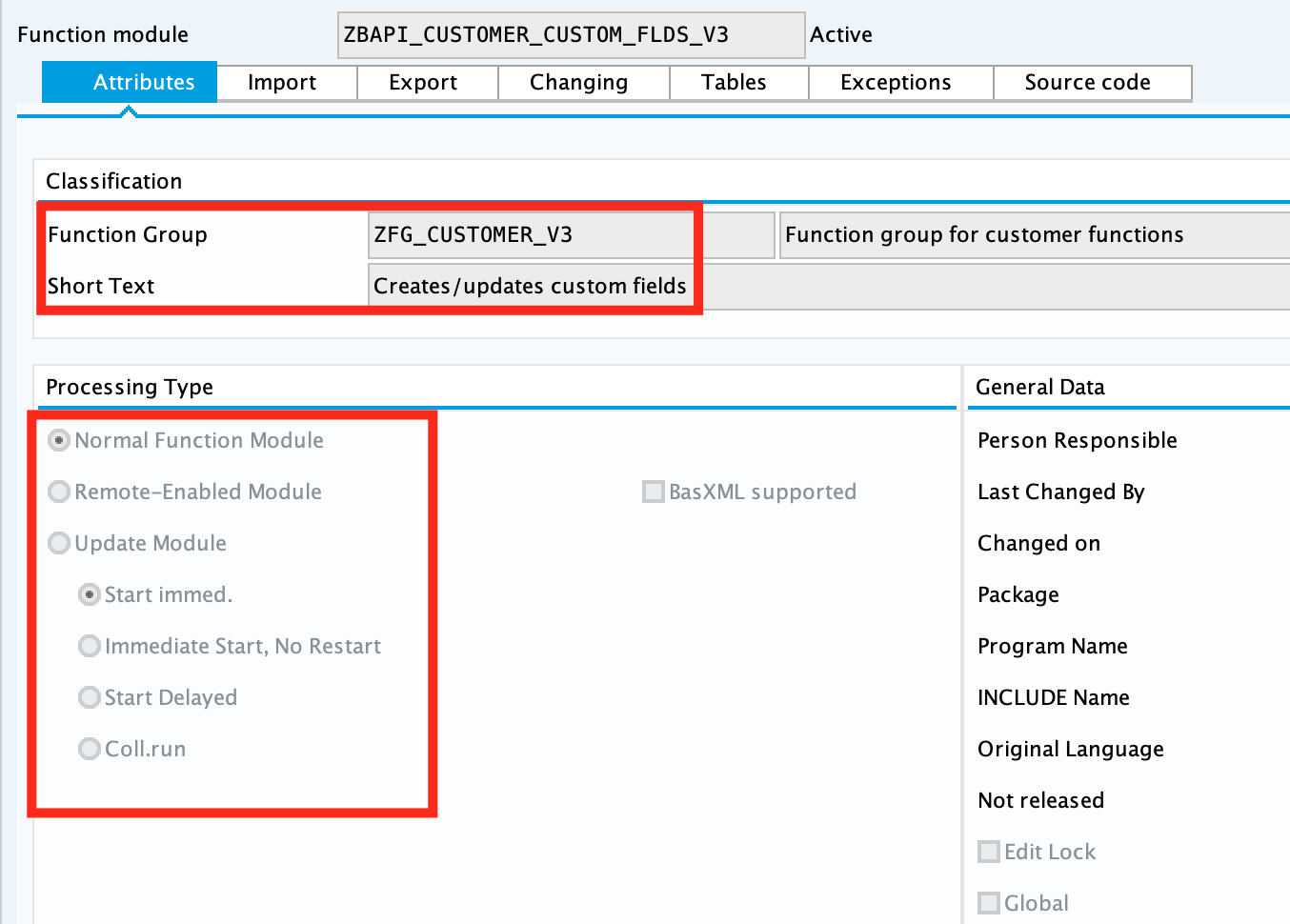
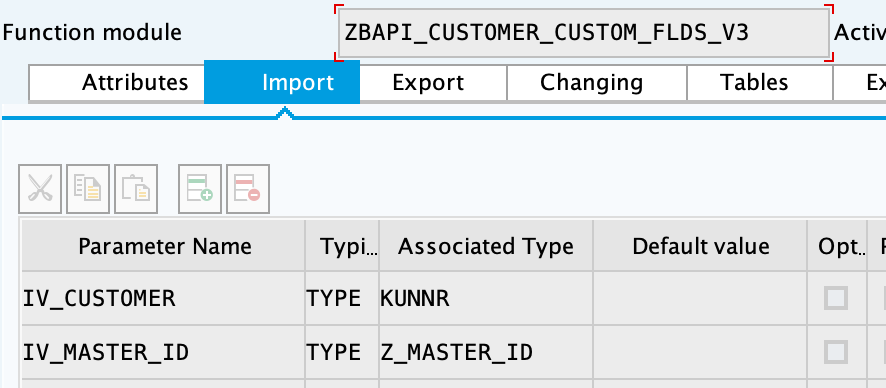
Create the function module "ZBAPI_CUSTOMER_CUSTOM_FLDS_V3":
-
Complete the import parameters with the following:
-
Copy and paste the code from "ZBAPI_CUSTOMER_CUSTOM_FIELDS_V3.txt".
-
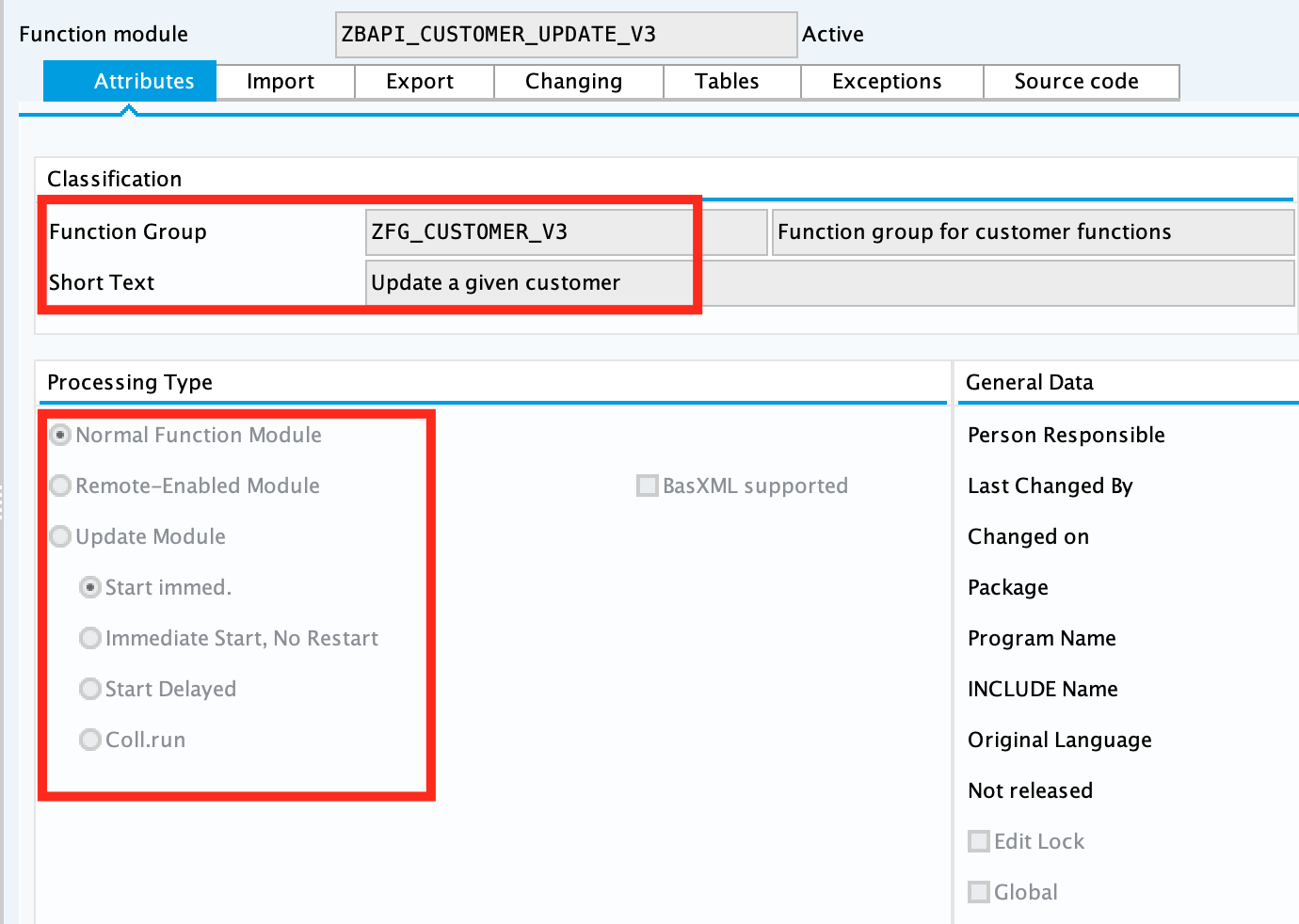
Create the function module "ZBAPI_CUSTOMER_UPDATE_V3":
-
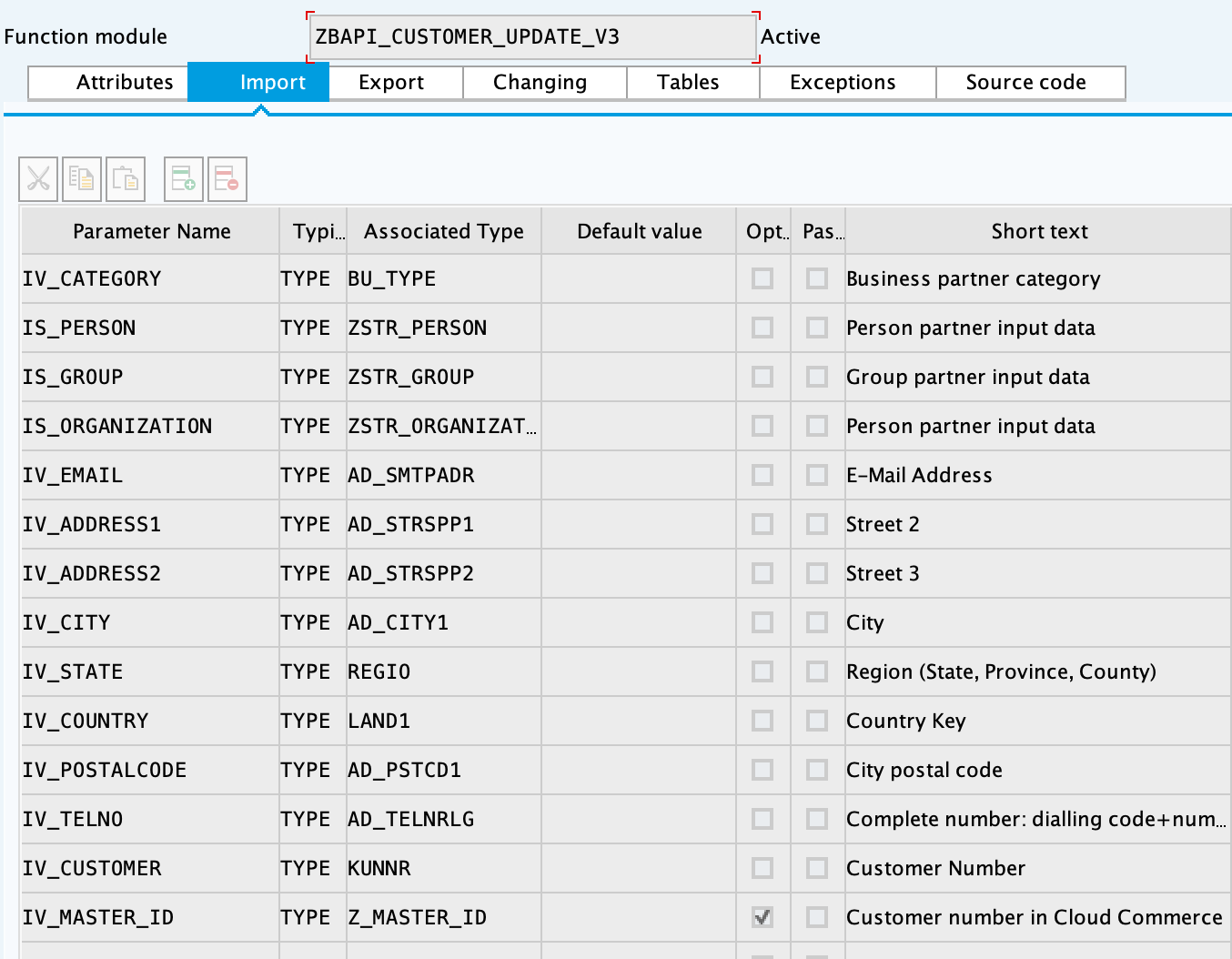
Complete the import parameters with the following:
-
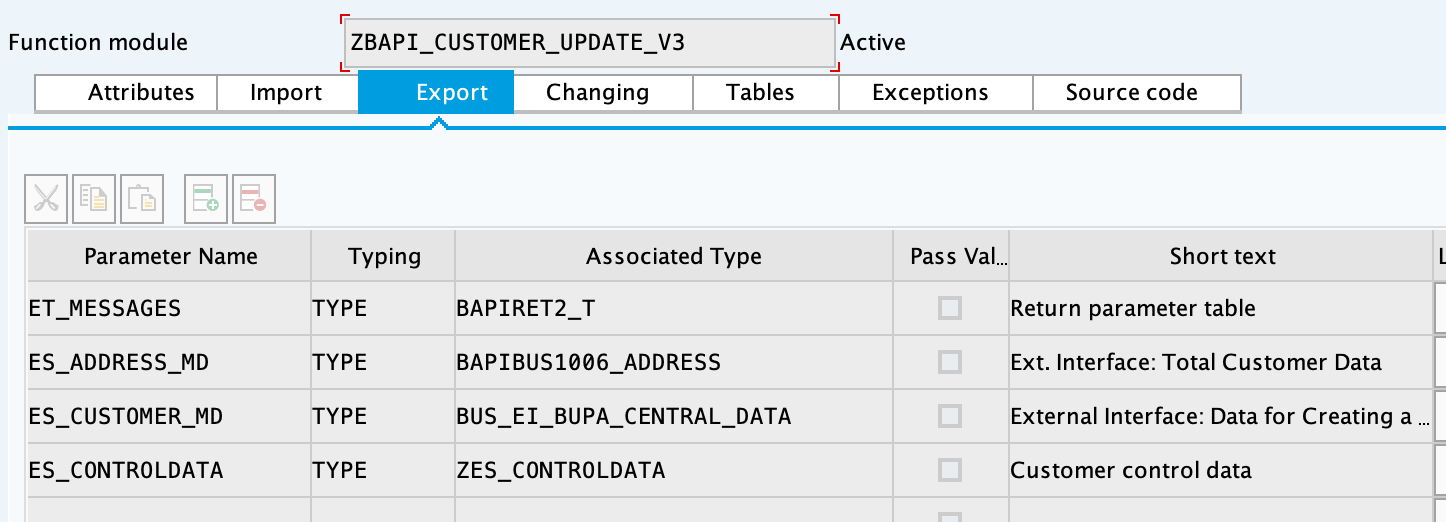
Complete the export parameters with the following:
-
Copy and paste the code from "ZBAPI_CUSTOMER_UPDATE_V3.txt".
-
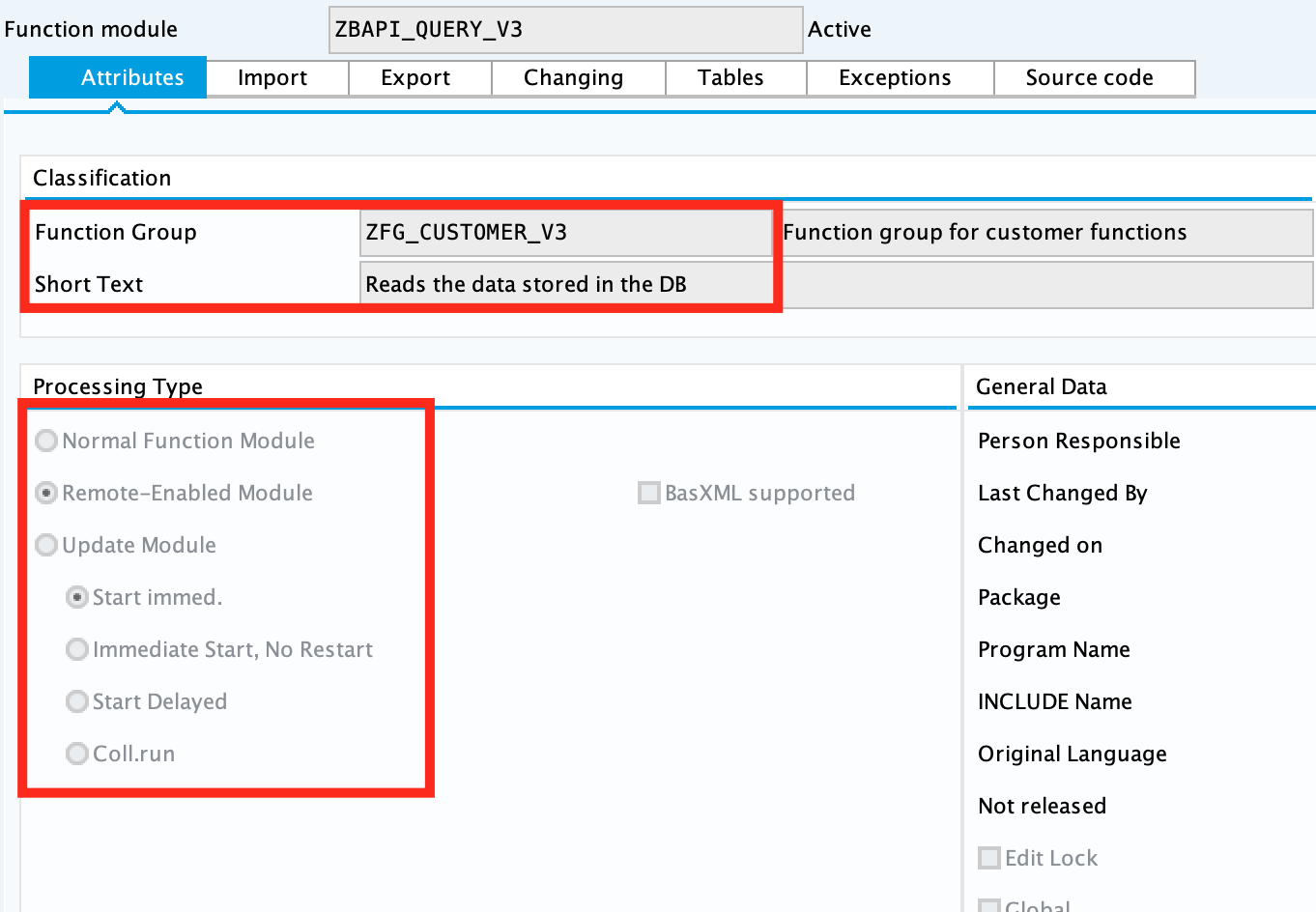
Create the function module "ZBAPI_QUERY_V3", using "Remote-enable module" as processing type:
-
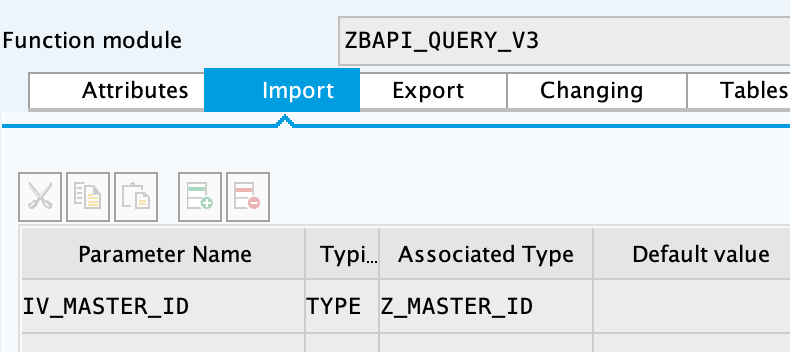
Complete the import parameters with the following:
-
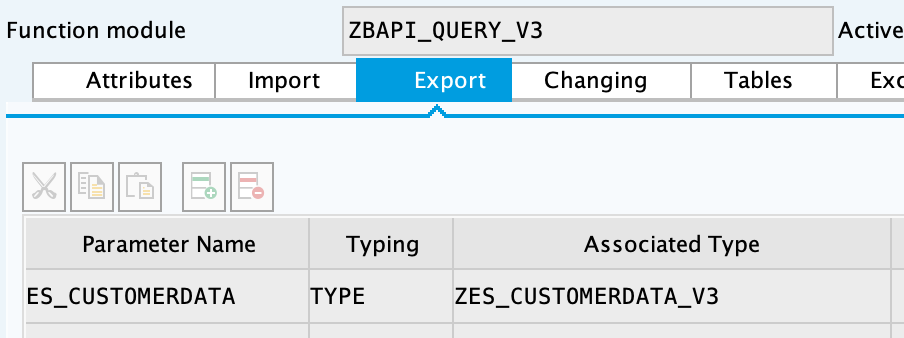
Complete the export parameters with the following:
-
Copy and paste the code from "ZBAPI_QUERY_V3.txt".
-
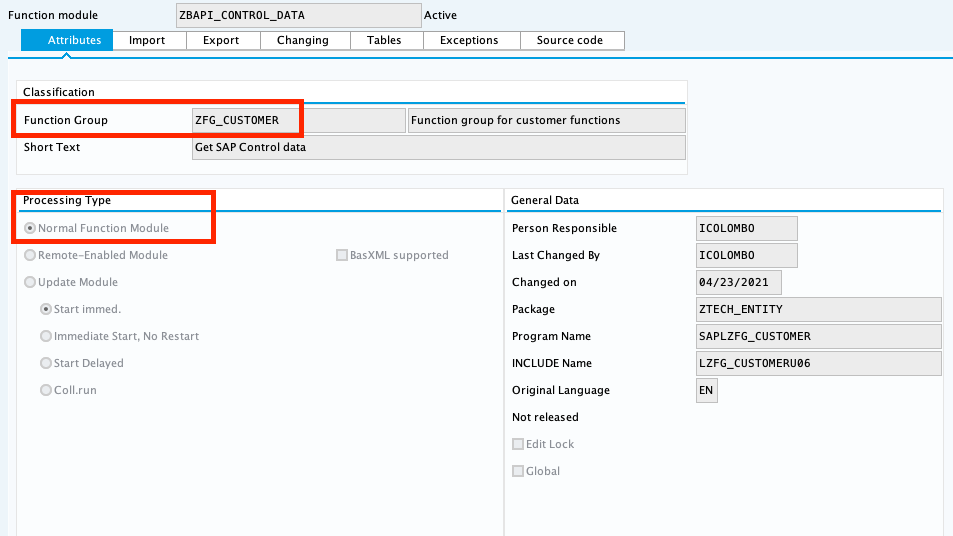
Create the function module "ZBAPI_CONTROL_DATA_V3":
-
Complete the import parameters with the following:
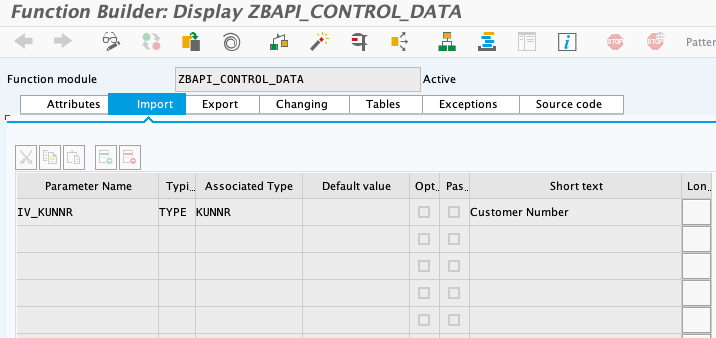
-
Complete the export parameters with the following:
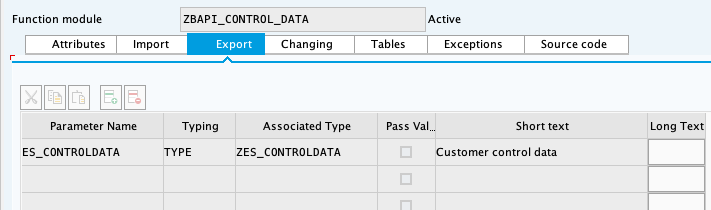
-
Copy the source code from "ZBAPI_CONTROL_DATA_V3.txt".
-
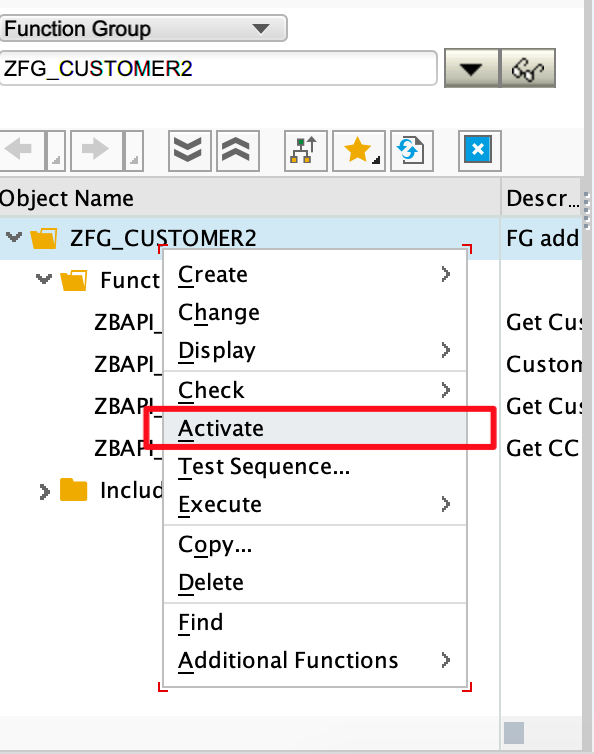
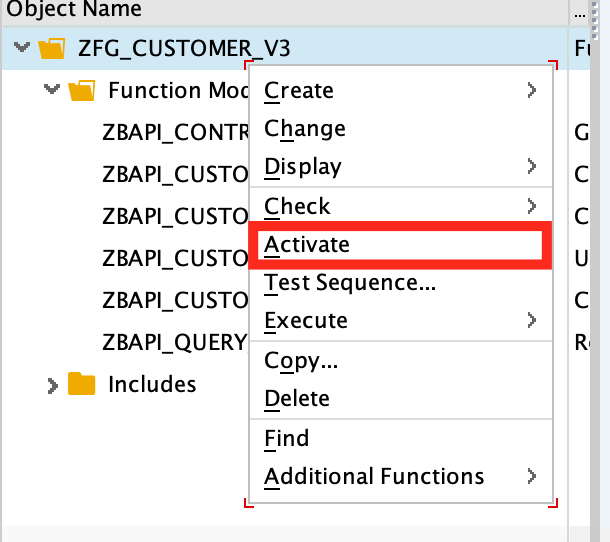
Activate the entire function group by right-clicking on it in the tree and then selecting "Activate":
-
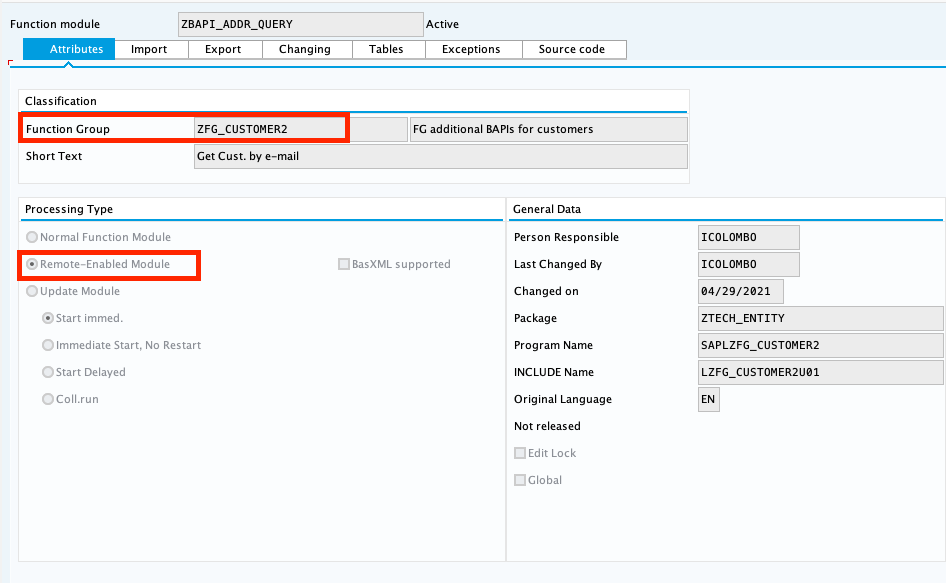
Create the function group "ZFG_CUSTOMER2".
-
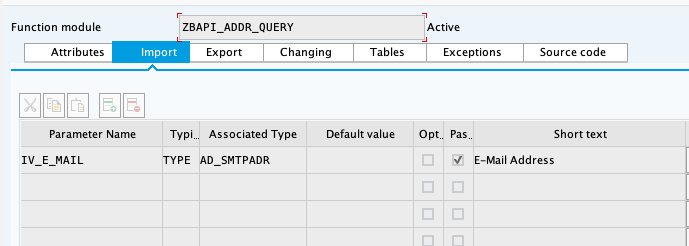
Create the function module "ZBAPI_ADDR_QUERY", using "Remote-enable module" as processing type:
-
Complete the import parameters with the following:
-
Complete the export parameters with the following:
-
Copy and paste the code from "ZBAPI_ADDR_QUERY.txt".
-
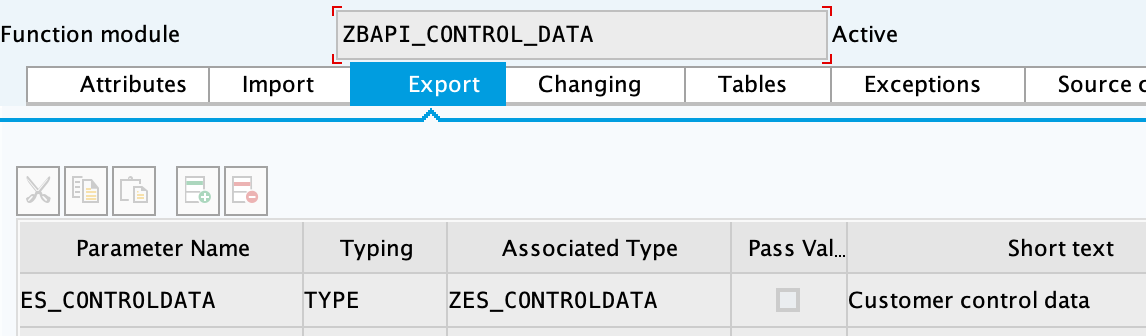
Create the function module "ZBAPI_CONTROL_DATA" using the import parameters as follows:

-
Use the export parameters as in the following:
-
Copy the source code from "ZBAPI_CONTROL_DATA.txt".
-
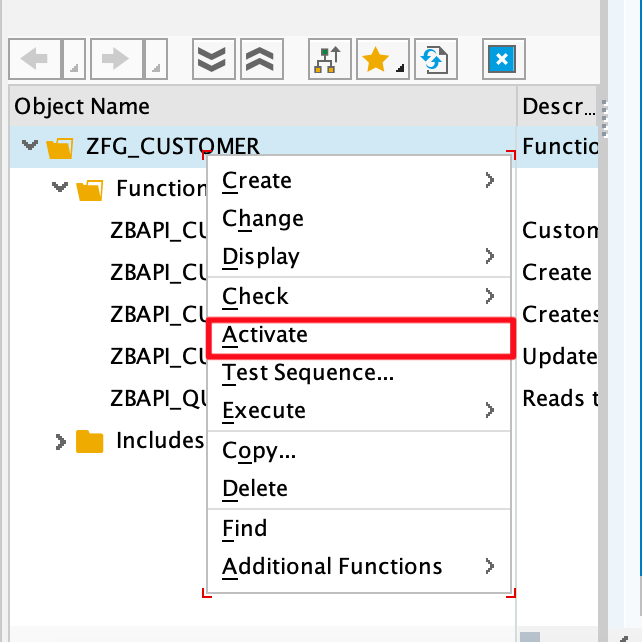
Activate the entire function group by right-clicking on it in the tree and selecting 'Activate':
-
Complete the following:
-
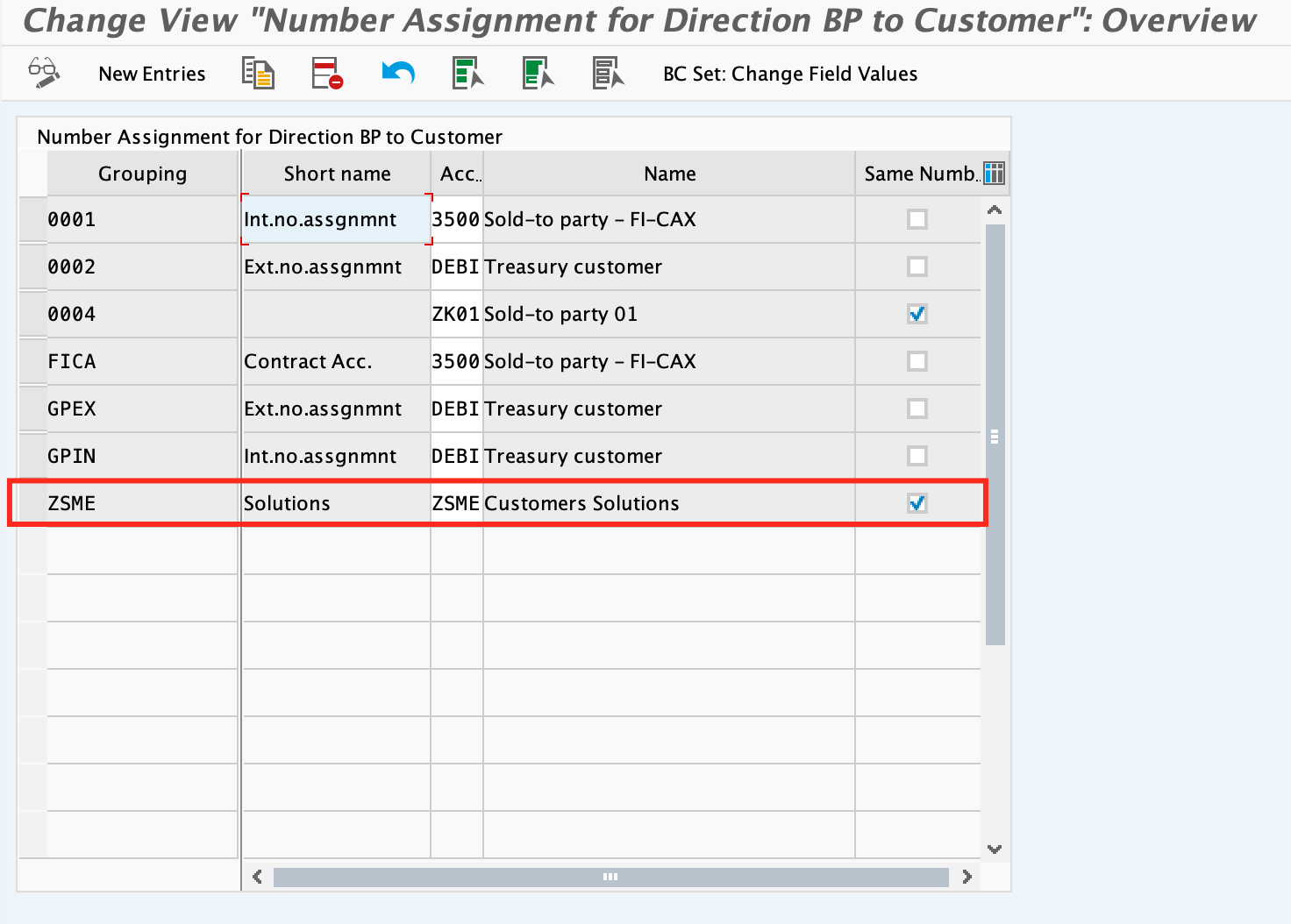
Create a customer group ZSME (Logistics - General->Business Partner->Customer->Control->Define and Assign Customer Number Ranges)
-
Create a partner group ZSME (Cross-Application Components->SAP Business Partner->Business Partner->Basic Settings->Number Ranges and Settings) from the transaction SPRO
-
Synchronize them from the same transaction (Cross-Application Components->Master Data Synchronization->Customer/Vendor Integration->Business Partner Settings->Settings for Customer Integration->Assign Keys->Define Number Assignment for Direction BP to Customer)
More ZBAPI modules
The following describes how to sufficiently set up your SAP instance in order to use the following custom BAPIs:
-
ZBAPI_ADDR_QUERY -
ZBAPI_QUERY_SAP -
ZBAPI_CUST_QUERY -
ZBAPI_CUSTOMER_CD
To create ABAP custom objects, groups, and modules:
-
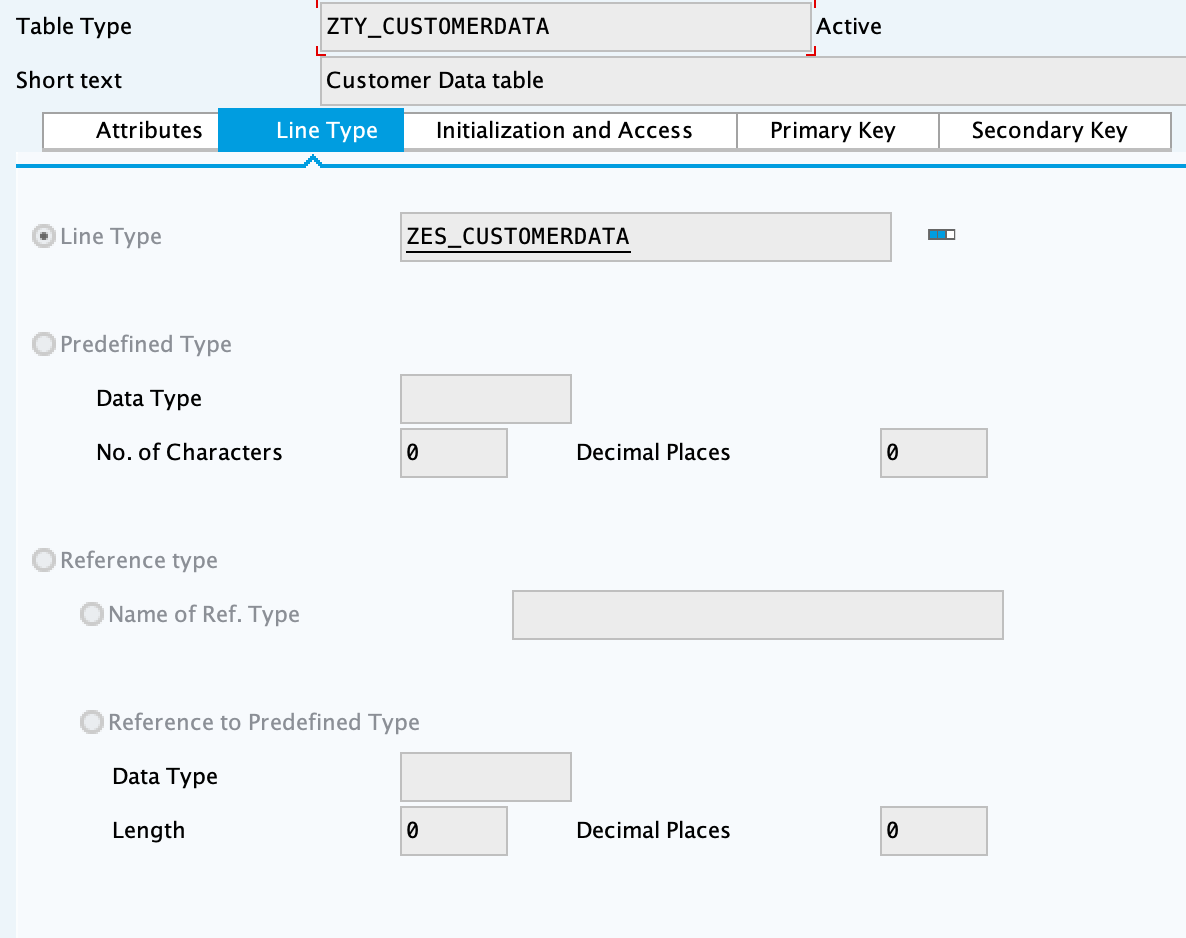
Create the same dictionary objects created for the BAPI
ZBAPI_CUSTOMERusing the following structure/table type: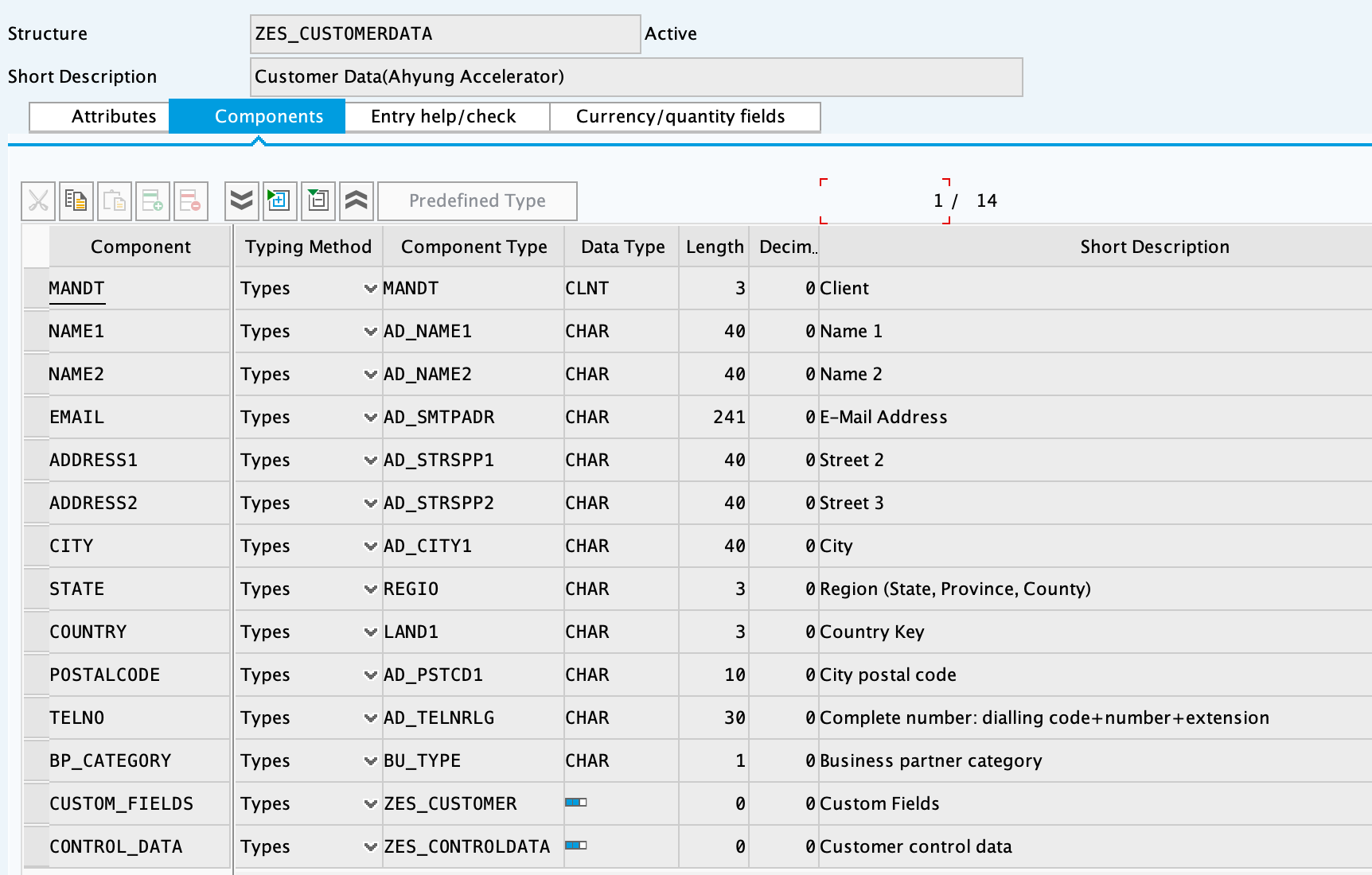
-
Create the function group
ZFG_CUSTOMER2. -
Create the function module
ZBAPI_ADDR_QUERYusing 'Remote-enable module' as the processing type: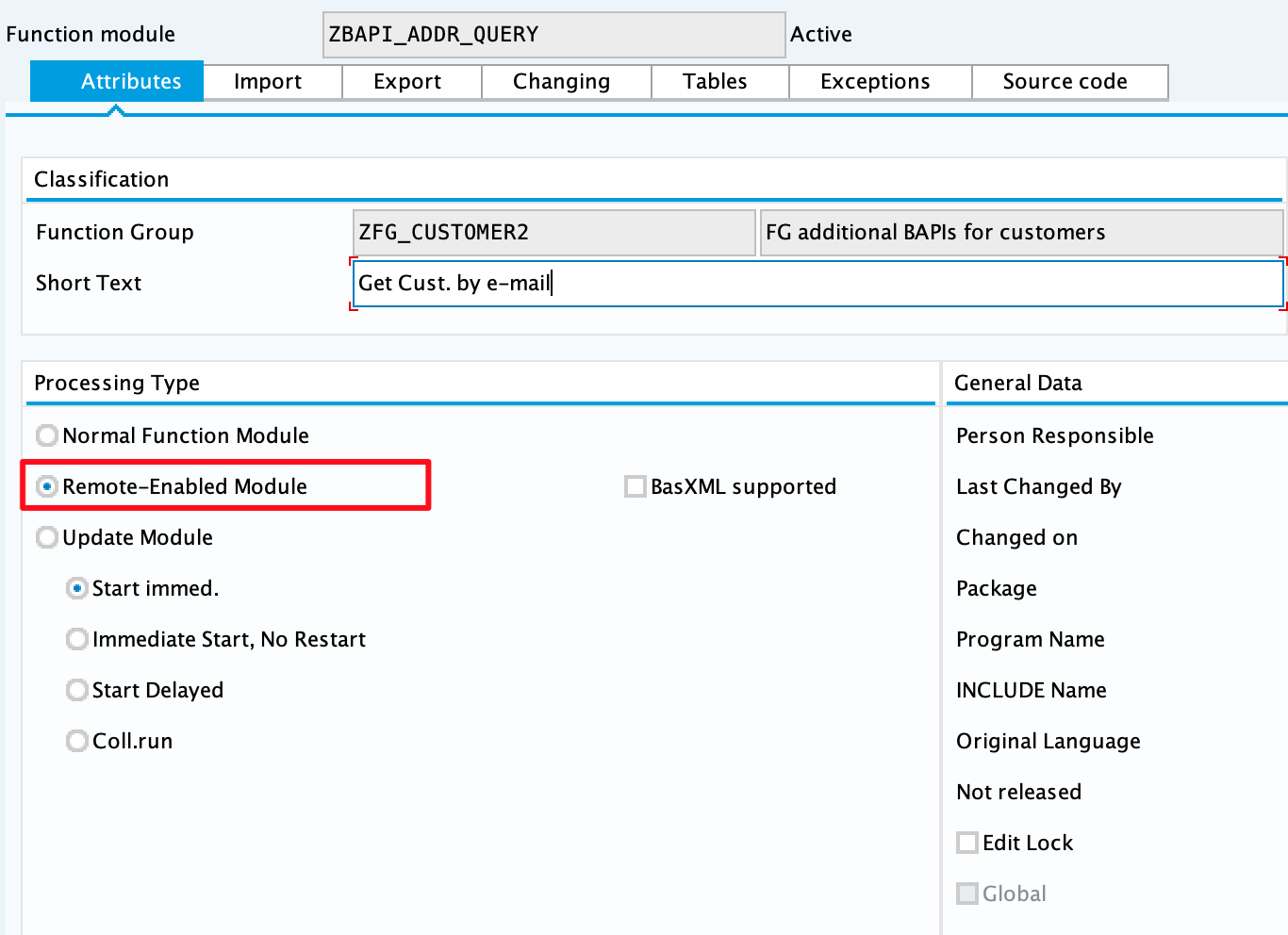
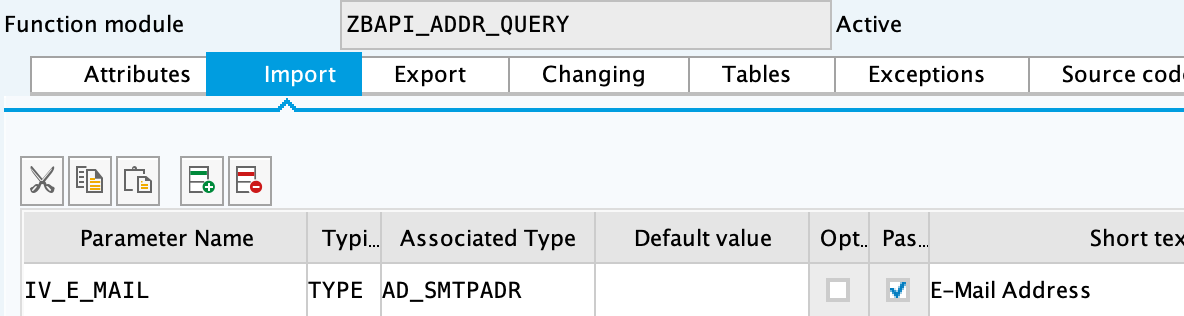
-
Complete the import parameters with the following:
-
Complete the export parameters with the following:
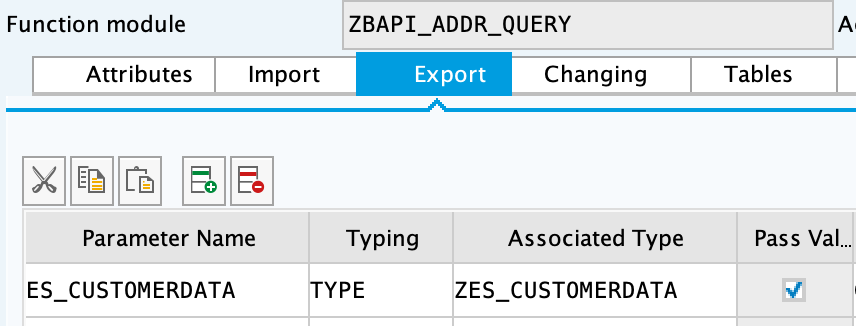
-
Copy and paste the code from 'ZBAPI_ADDR_QUERY.txt'.
-
Create the function module
ZBAPI_ADDR_SAPusing 'Remote-enable module' as the processing type: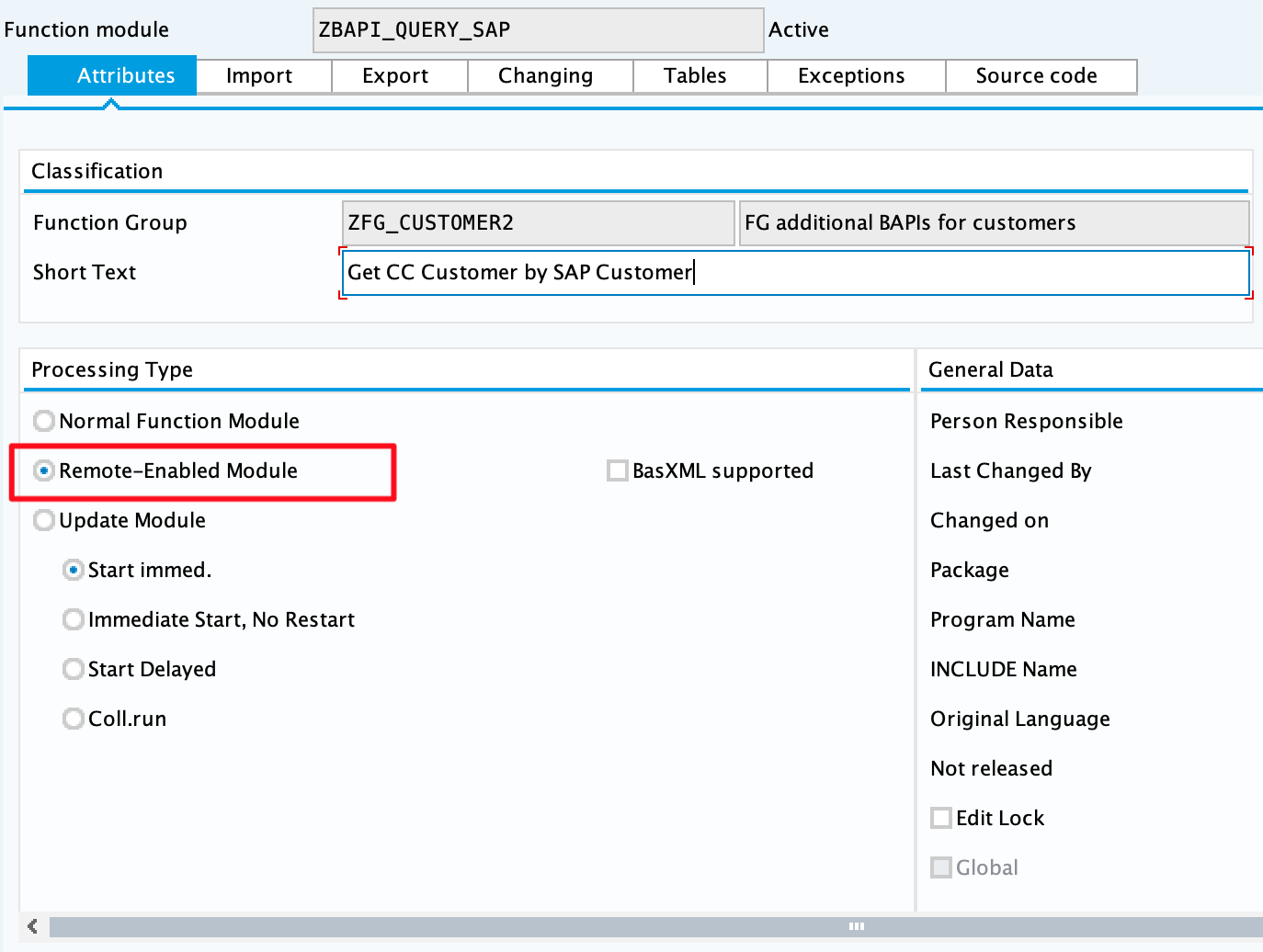
-
Complete the import parameters with the following:
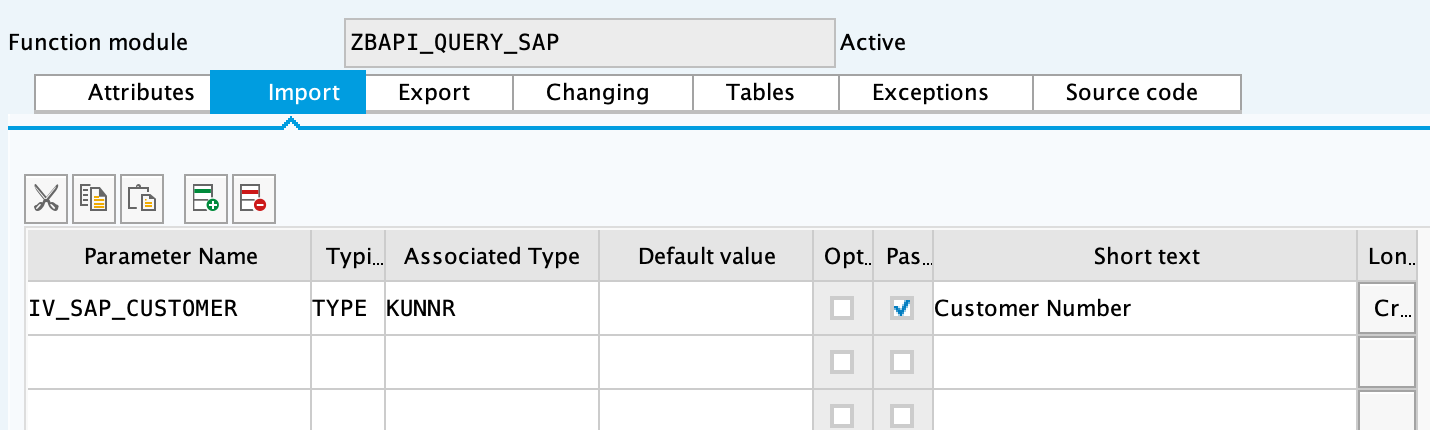
-
Complete the export parameters with the following:
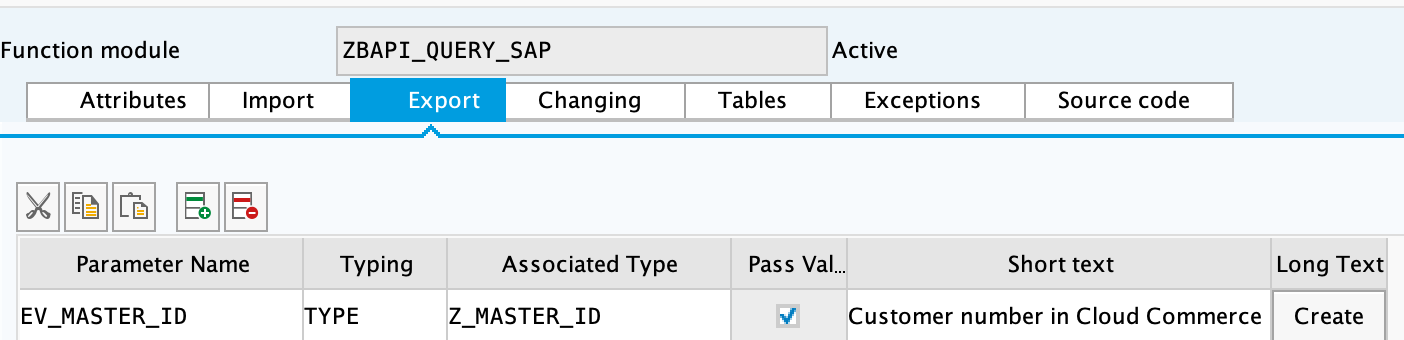
-
Copy and paste the code from 'ZBAPI_QUERY_SAP.txt'.
-
Create the function module
ZBAPI_CUST_QUERYusing 'Remote-enable module' as the processing type: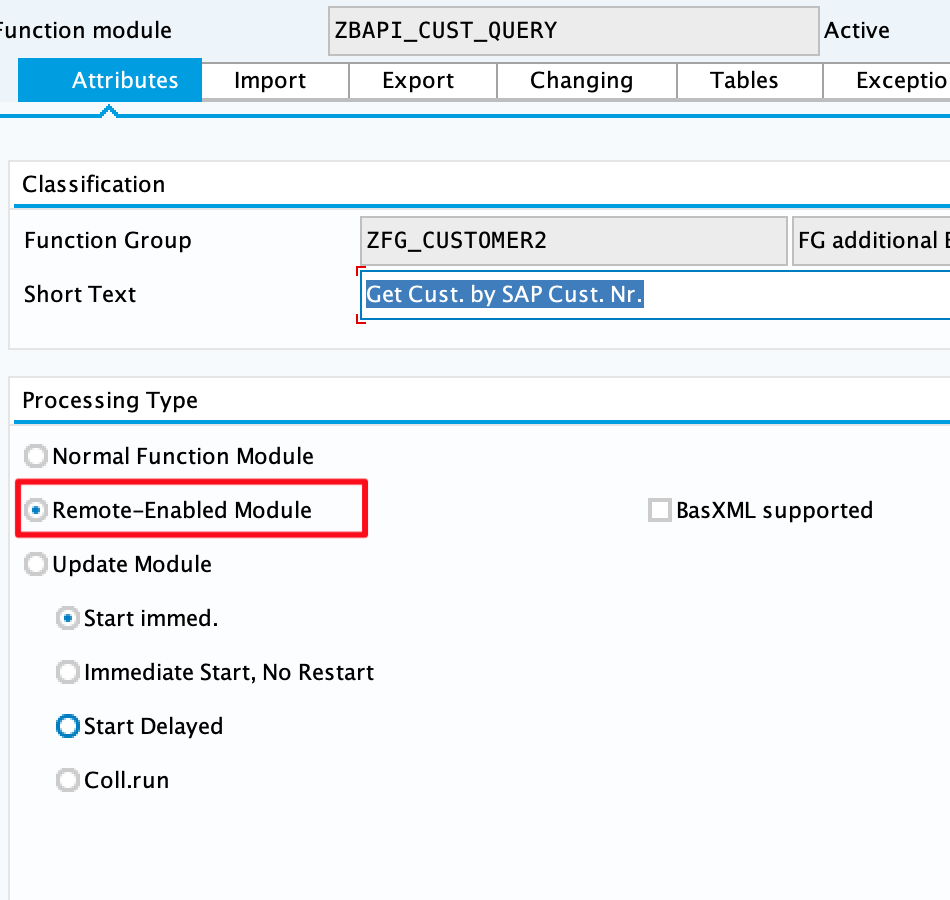
-
Complete the import parameters with the following:
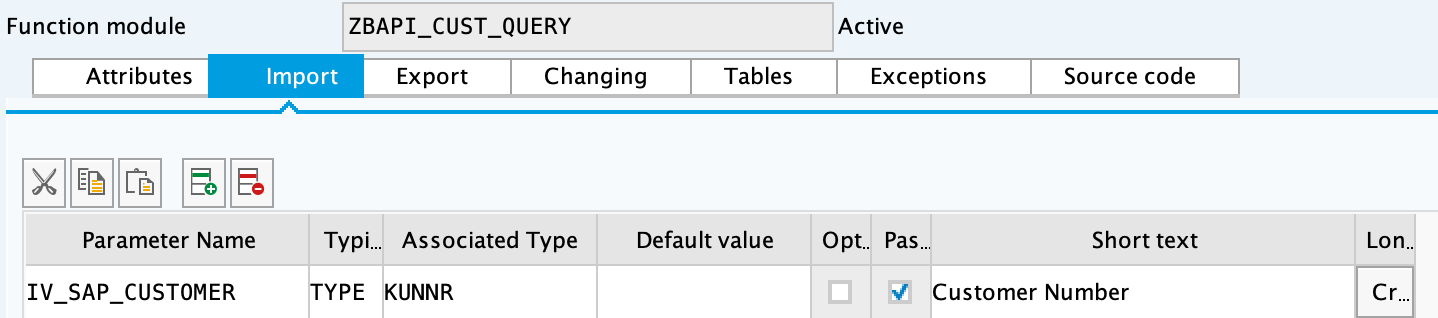
-
Complete the export parameters with the following:
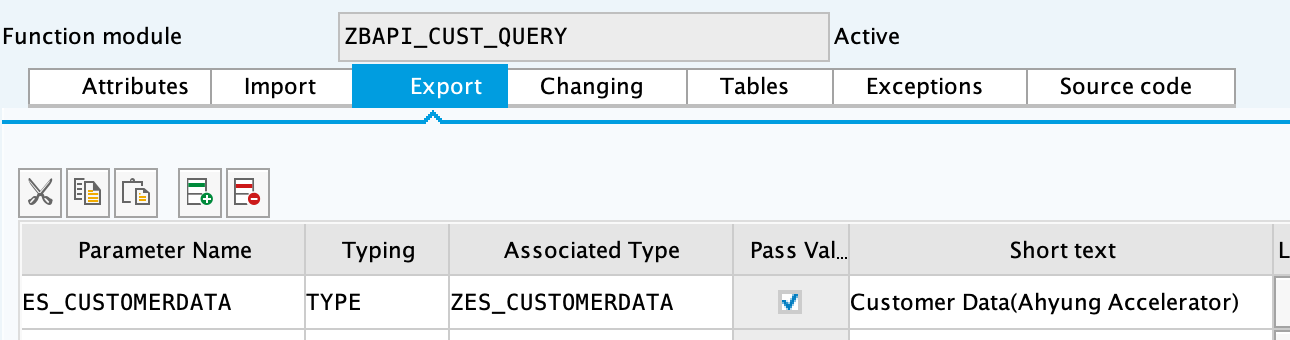
-
Copy and paste the code from 'ZBAPI_CUST_QUERY.txt'.
-
Create the function module
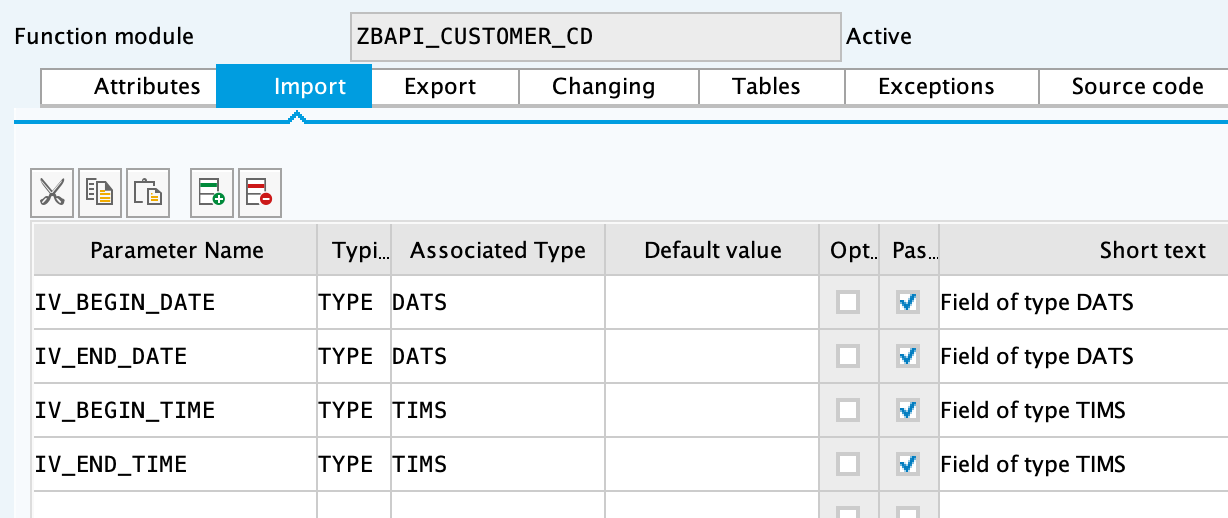
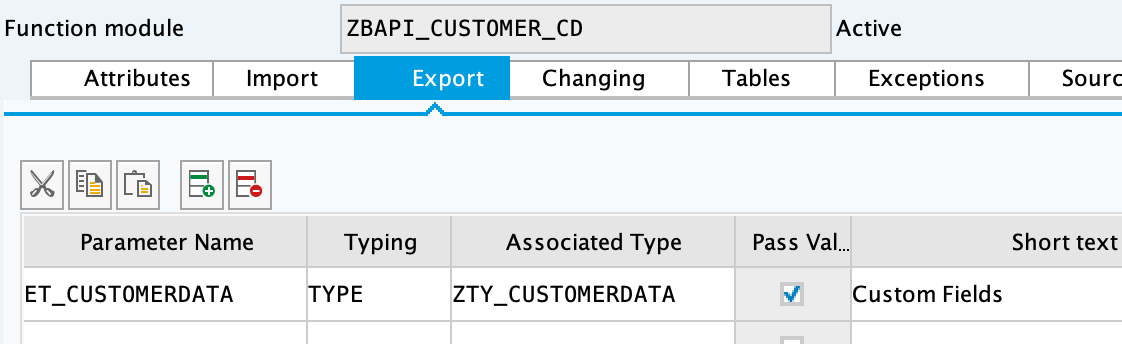
ZBAPI_CUSTOMER_CDusing 'Remote-enable module' as the processing type: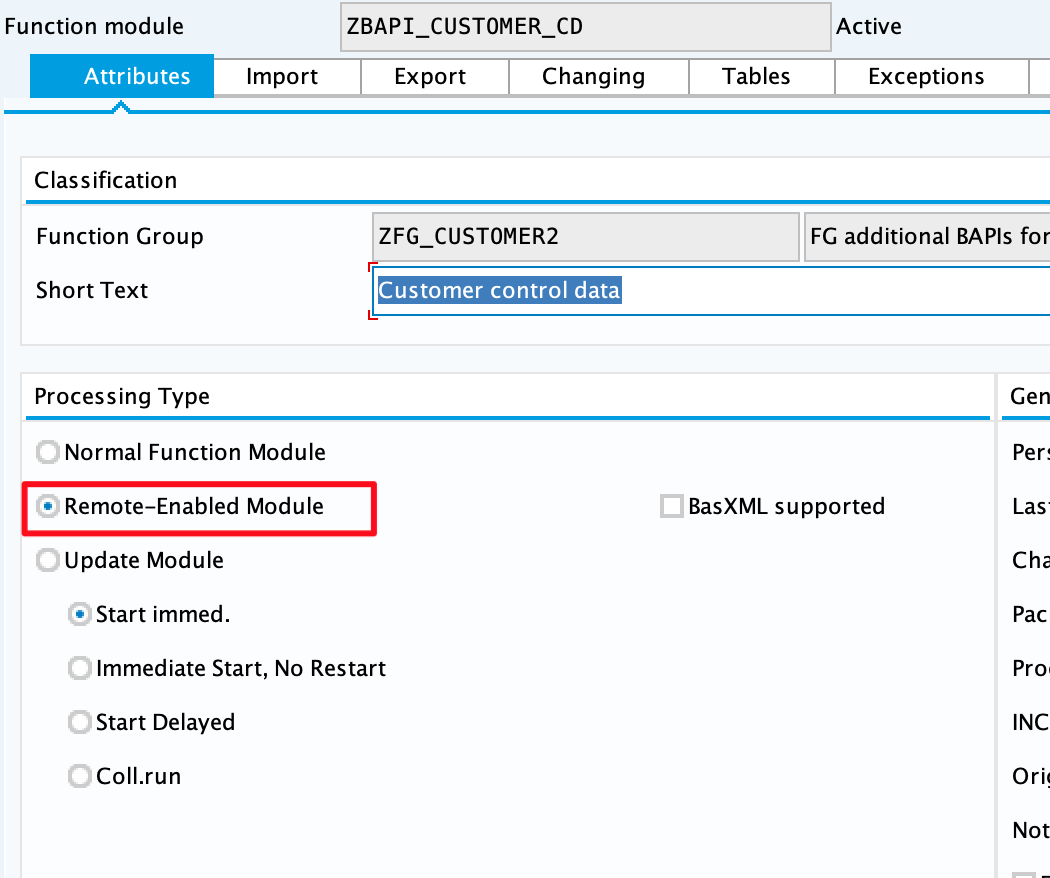
-
Complete the import parameters with the following:
-
Complete the export parameters with the following:
-
Copy and paste the code from 'ZBAPI_CUSTOMER_CD.txt'.
-
Activate the entire function group by right-clicking on it in the tree and selecting 'Activate':