
Create an Instance of a Class
Call a Java Constructor
The examples on this page are based on the Person Java class, which
belongs to the com.me package:
package com.me;

public class Person {

    private String name;
    private Integer age;

    public Person() {
        this.name = "Max Mule";
        this.age = 10;
    }

    public Person(String name, Integer age) {
        this.name = name;
        this.age = age;
    }
}|
The classes used with the Java module must be exported (unless they belong to the default package). If not exported, execution fails with a JAVA:CLASS_NOT_FOUND error. See how to export resources. |
The constructors for this class can be called using the new operation of the Java module.
This example shows how to create an instance of Person using the constructor that does not require parameters:
<java:new class="com.me.Person" constructor="Person()"/>To create a Person object using a constructor that does require parameters:
<java:new class="com.me.Person" constructor="Person(String, Integer)">
    <java:args>#[{
      name: 'John Doe',
      age: 30
    }]</java:args>
</java:new>
For the constructor parameters, the full package name can be specified, for example
constructor="Person(java.lang.String, java.lang.Integer)". This is not needed, but it can
be useful to add more clarity in the code or if there are clashing class names in the Java code.
|
When configuring the constructor arguments in the To reference the parameters by name ( If the class is not compiled with the If the Java classes are defined in a Studio Project, the Maven compiler plugin must be
configured in the |
DataSense Support in Studio
One of the advantages of using the Java module is
the DataSense support,
which can help build the args map, which serves as input for the new operation.
Continuing the previous example, where the new operation calls the Person(String, Integer)
constructor of the com.me.Person class, clicking the Show Graphical View icon
 shows a view to match fields. Assuming that the previous component in the flow outputs a map with
 name and age keys (like the
Set Payload
component can do), the view looks like this:
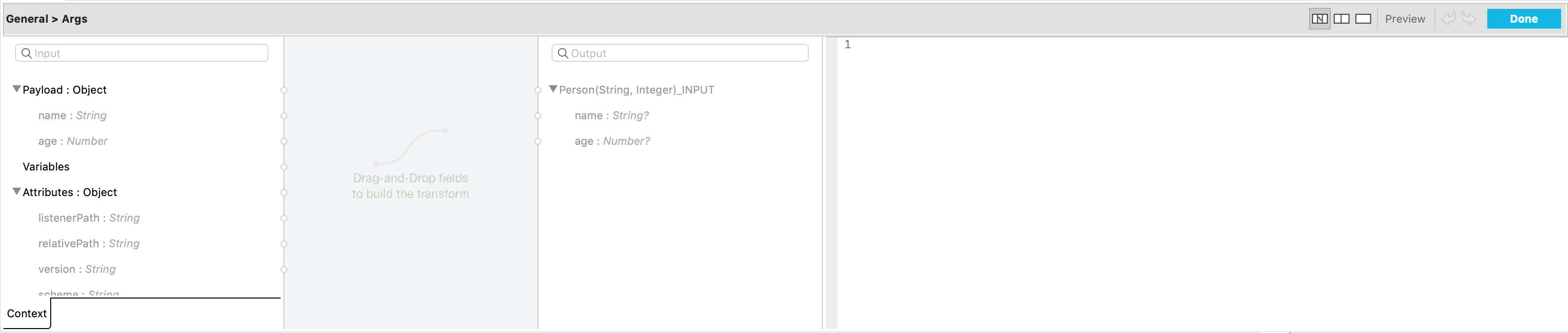
The fields can be matched by dragging and dropping from the left to the right. Doing so produces:
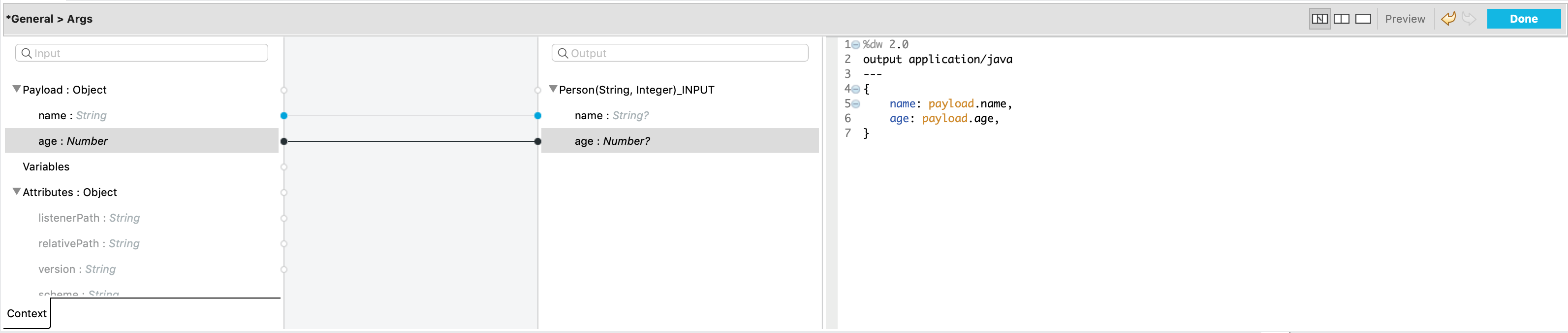
The new operation is configured and ready.
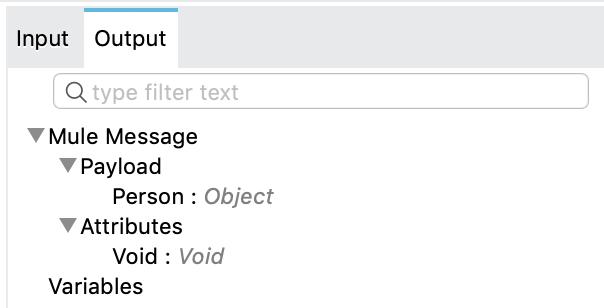
DataSense also provides metadata for the operation’s output. The new operation
places the Person object in the payload of the output message, as can be observed:
Target Parameters
Instead of placing the output object in the payload, you can
save the output object to a variable as the new operation supports
target parameters.
For example:
<java:new class="com.me.Person"
    constructor="Person(String, Integer)"
    target="john">
    <java:args>#[{
      name: 'John Doe',
      age: 30
    }]</java:args>
</java:new>
The output object is saved in a variable and can be accessed later as "#[vars.john]".